The translation was generated automatically and may contain mistakes
General description
This section is intended for developers who have already connected VK Pay.
If you want to connect and start accepting payments through VK Pay, write to vkpay_solutions@vk.team .
More about the service - in the section About VK Pay .
The VK Pay payment window is a pop-up window that shows the payment amount, payment method, payment comment and seller data.
The payment window is displayed inside the VKontakte interface.
This section describes the connection of the payment window for developers of mini-applications payment through the payment window for users of VKontakte .
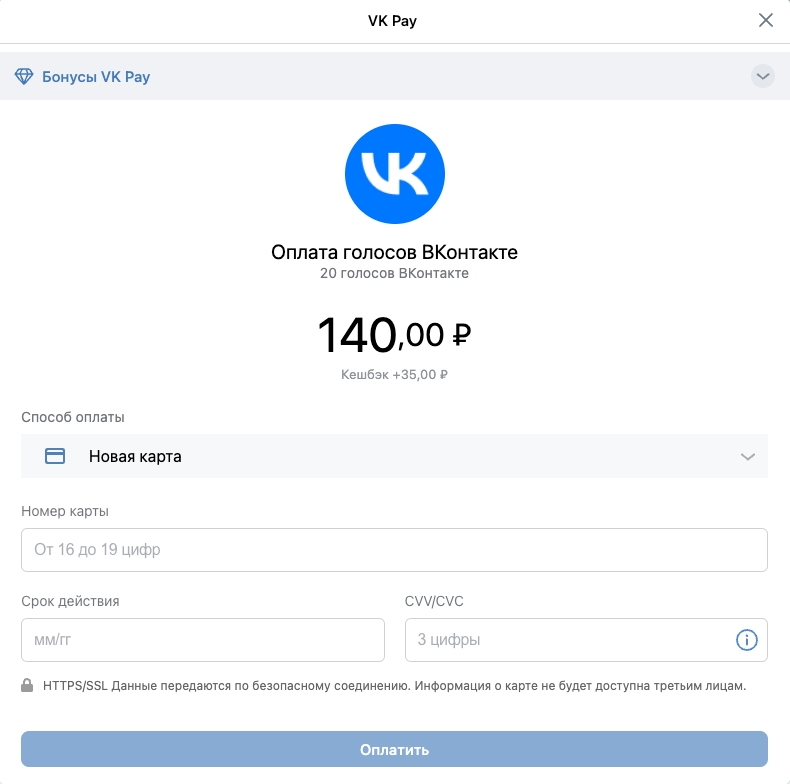 Example of payment window VK Pay: payment by bank card
Payment window for payers
The payment window for the user will display the payment methods that you specified when connections .
Available payment methods: bank card and VK Wallet.
Read more about the payment process for the user in the section Payment window for payers .
Payment window for developers
If you’re developing a mini-app, you can trigger a payment window in your app with events the VK Bridge Library .
VK Bridge allows mini-applications to interact with the API of the VKontakte and API of the operating system installed on the user's device.
To call the payment window, you will need to initialize your application, send a request to call the payment window with the seller's parameters and mini-applications check the result of the call and receive a payment notification about the result of the payment.
Details in interaction scenarios and step-by-step guide to calling the payment window .
To make cancellation and refund payments, request the status of the transaction and information about it, use API requests to the payment system .
