Sharing games
Users can share a game with their friends and followers.
On OK
- •On both desktop and mobile websites, sharing is only available as a wall post.
- •On Android and iOS, users can:
- •Share to their own wall or a community wall.
- •Send in a private message.
- •Add some text and share to the feed.
- •Send to an app.
- •Copy the link.
- •
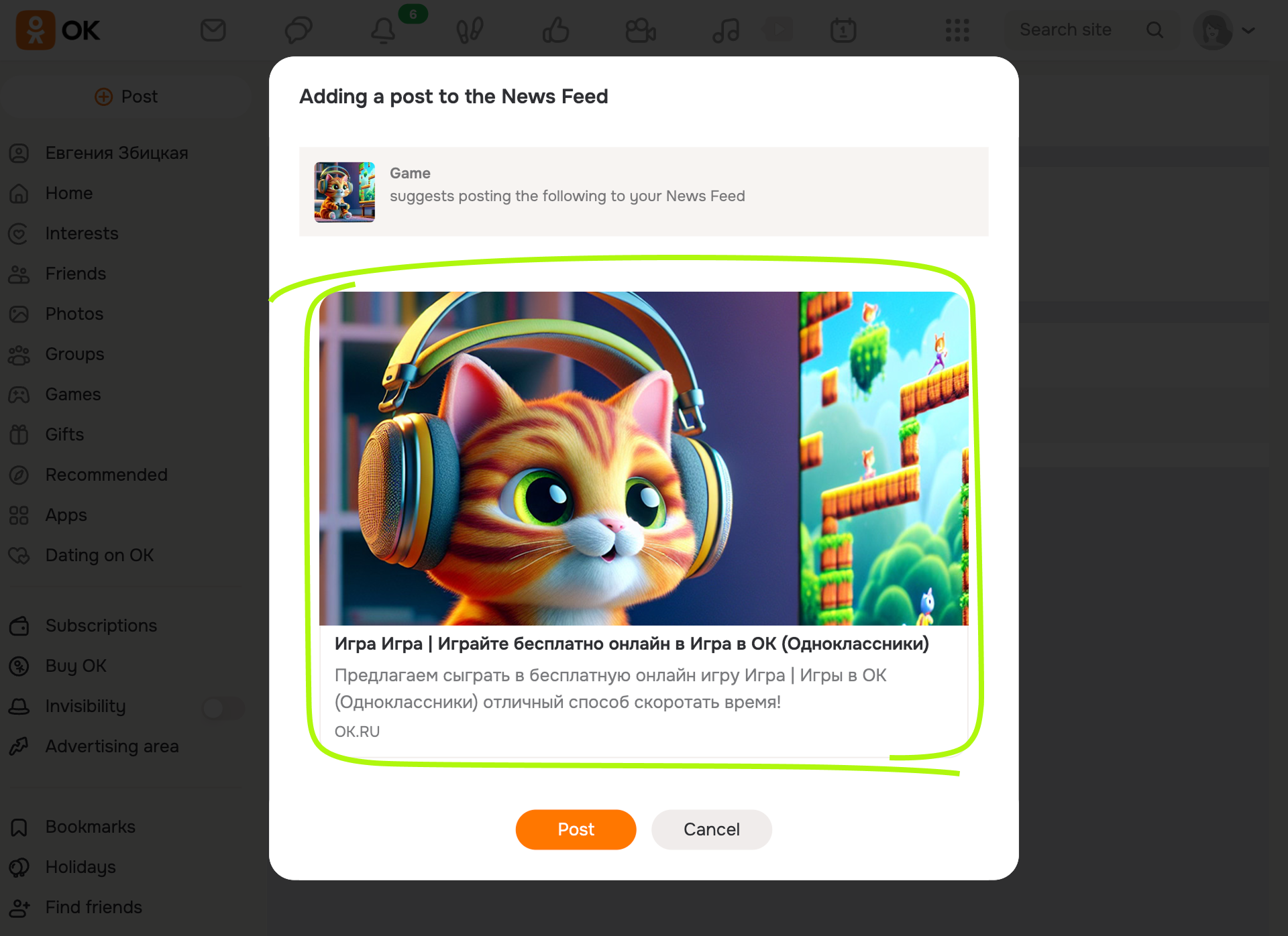 Post for the OK feed
On VK
- •On any platform, users can send the game link in a private message.
- •On Android and iOS, they can share the game in a story.
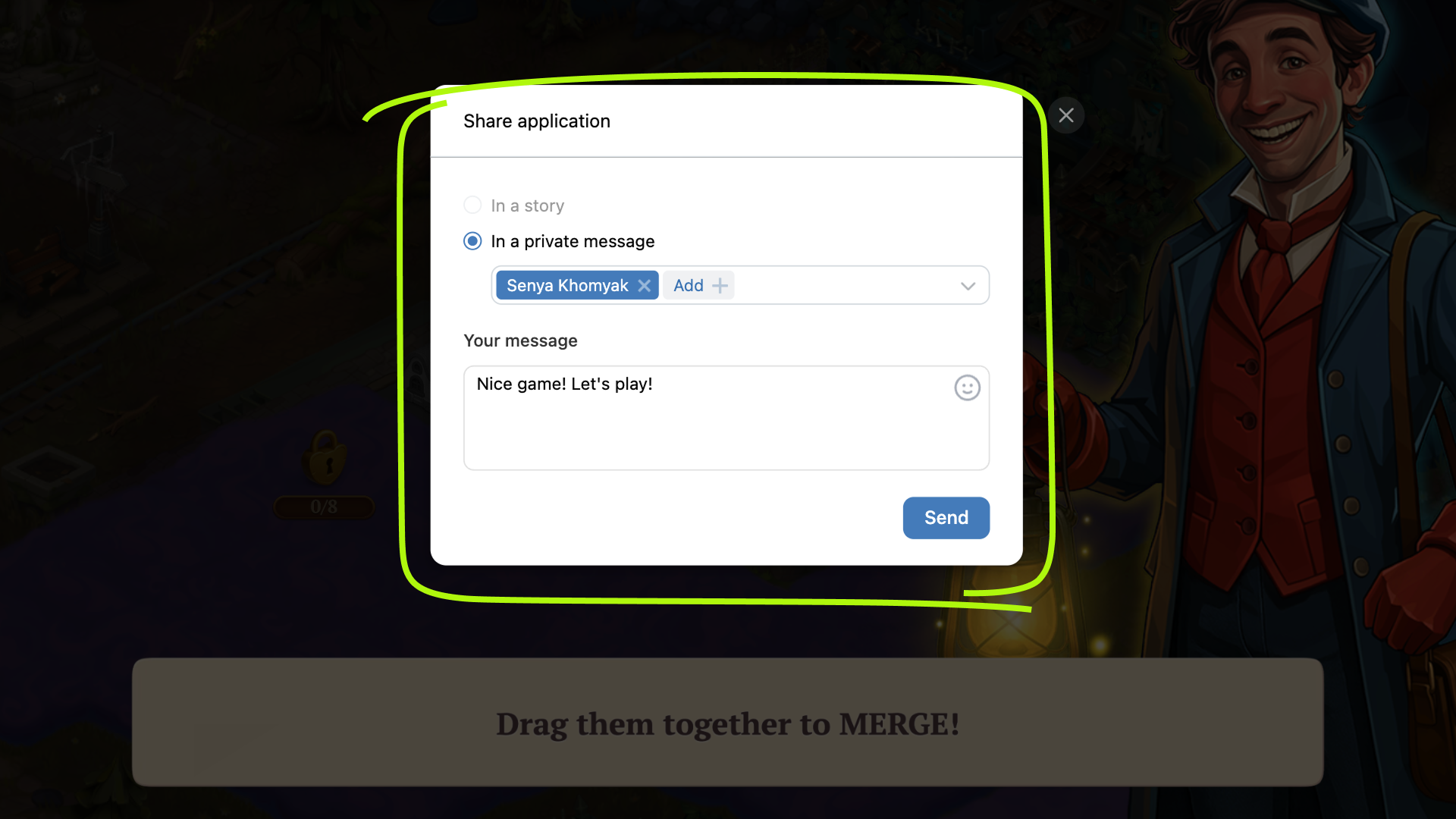 Sharing via VK message
The story is published on behalf of the player, not the game. When sent as a private message, a snippet of the game will be shown.
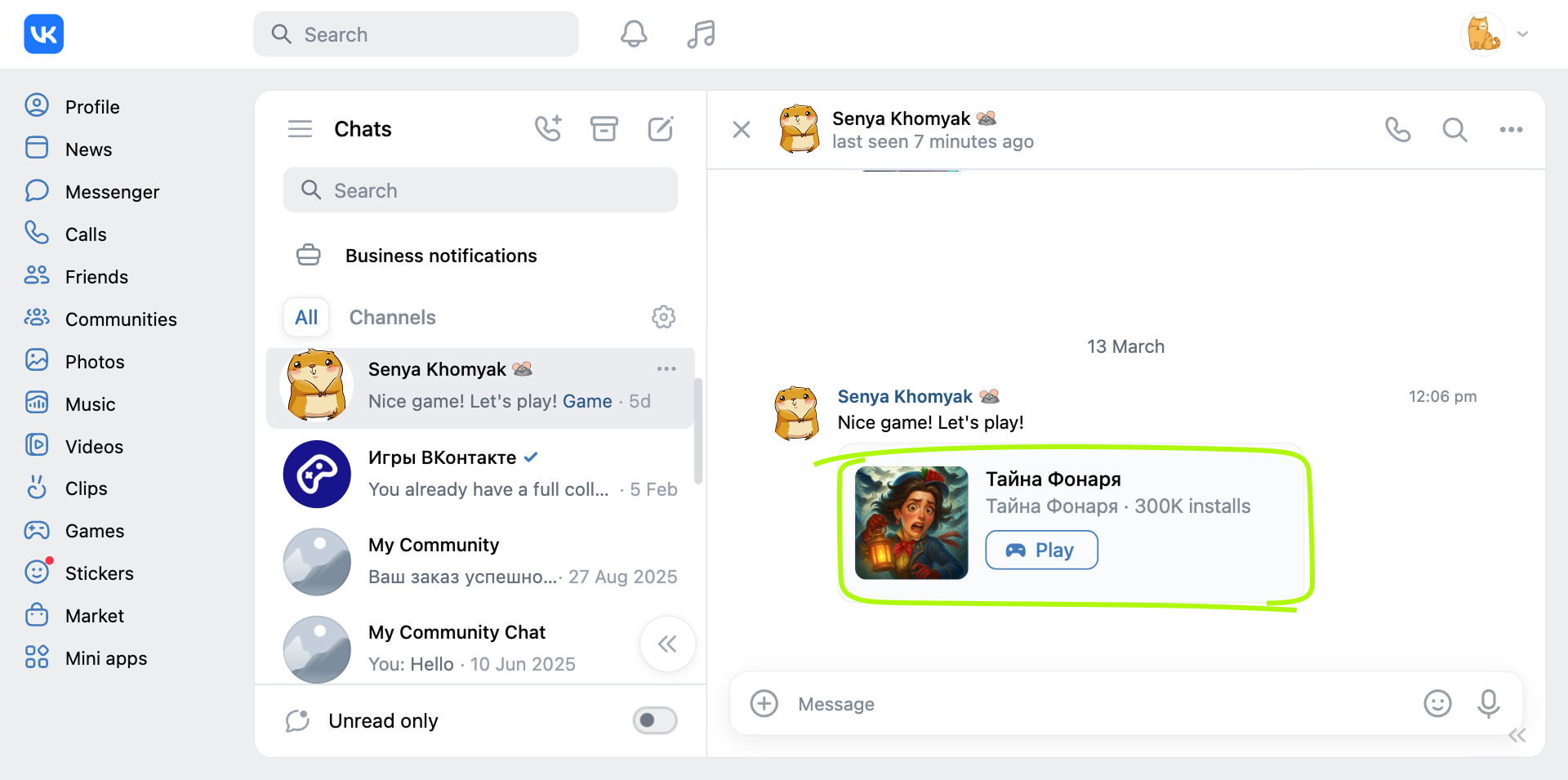 Example of a snippet in private messages
Implementation
Method 1
The user can send a link to a VK game via the Share button.
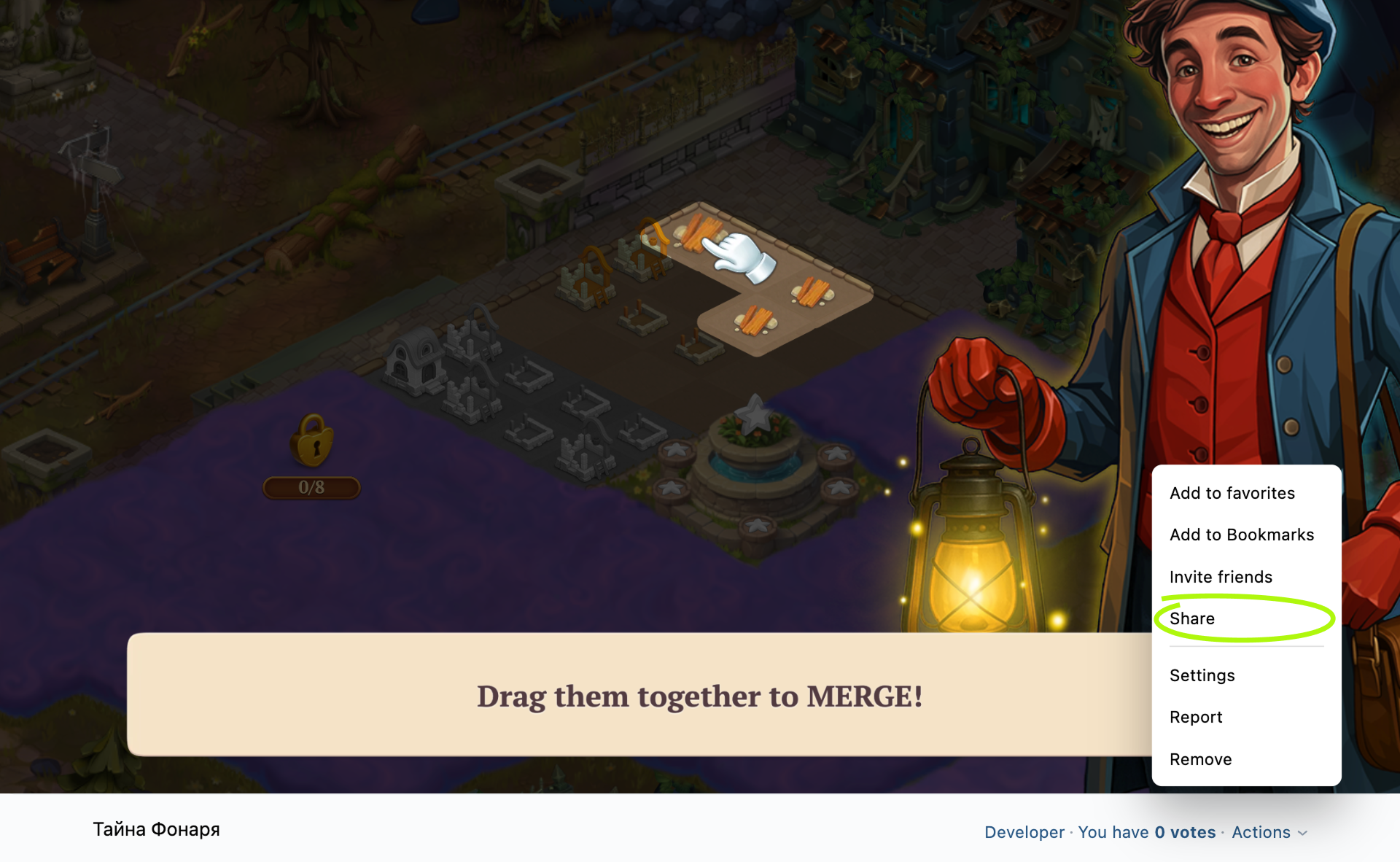 The Share button on the desktop website
Method 2
To show the dialog box for sharing the link, call the VKWebAppShare event of the VK Bridge library.
Call example:
JavaScript
bridge.send('VKWebAppShare', {
  link: 'https://vk.com/vkappsdev'
  })
  .then((data) => {
    if (data.result) {
      // Story published, message sent
    }
  })
  .catch((error) => {
    // Error
    console.log(error);
  });
If you've integrated the VK Bridge library in the HTML code of the page, use the vkBridge object name instead of bridge in the call.
See also
- •
- •
- •
- •

