Invitations
Invitations help bring users’ friends into the game, allowing them to cooperate or compete with each other. Playing together is one of the most common ways of social interaction and direct communication with friends.
According to our statistics, invitations account for up to 15% of all game launches. On mobile devices, conversions from invitations make up to 25% of incoming traffic to the game catalog.
While in game, users can select friends to send them invitations.
 A dialog box where users can select friends to invite
Invited friends will receive a notification in the bell.
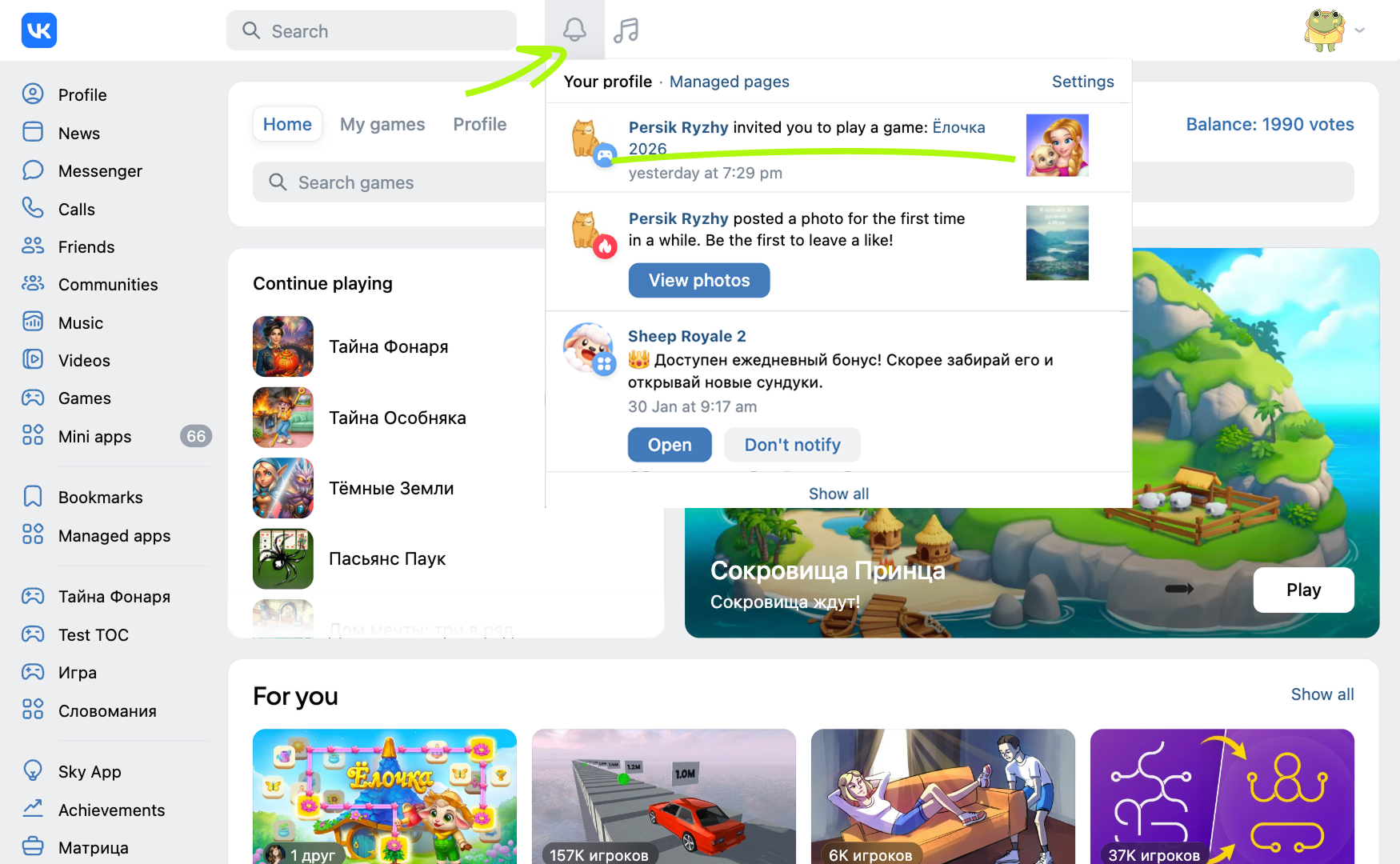 An invite to join a game on VK
 An invite to join a game on Odnoklassniki
Restrictions
The invite mechanic becomes available only after the game is published in the catalog. Unpublished games can only send invitations to their administrators.
Implementation
Option 1
Users can send invitations using the Invite friends button on VK and Odnoklassniki.
 Invite friends button on VK
 Invite friends button on Odnoklassniki
Option 2
To display a dialog box for inviting friends to the game, call the VKWebAppShowInviteBox event.
bridge.send('VKWebAppShowInviteBox', {
  requestKey: 'key-12345' /* Optional parameter. Invitation key. */
  })
  .then( (data) => {
    if (data.success) {
      // Invitation sent ...
      // ...

      // These users didn't receive the message:
      // console.log('The invite wasn't sent', data.notSentIds );
    }
  })
  .catch( (e) => {
    let { error_code, error_reason } = e.error_data;
    if( error_code == 4 && error_reason == 'User denied') {
      // The user pressed Cancel in the dialog box
      ...
    }
  });
If you connected the VK Bridge library in the HTML code of the page, use the vkBridge object name instead of bridge in the call.
Usage details
- •
The dialog box shows only users who have never launched the game. In addition, it hides users to whom the invite was sent less than 1 week ago.
- •
A game that's not published in the catalog can only send notifications to its administrators. The administrators who have previously launched the game are hidden.
- •
Games can reward players who send invitations. However, senders can be rewarded only if one of their friends uses the invite and launches the game. Sending invitations alone cannot be rewarded according to platform rules.
- •
Developers must not reveal to the sender who exactly came to the game using their invite.
Tips
- •
To add administrators to the list of invite recipients, they must remove the game from their list of games. To do this, they need to do the following on desktop:
- •VK: Actions → Remove.
- •Odnoklassniki: More → Delete.
- •
- •
If a user launches the game from an invite, the
requestKeyevent parameter passes to the game asvk_request_keyURL parameter. Use this value to implement the appropriate in-game scenarios and to track conversions. See Launch parameters for more information. - •
To send an invite to a specific user, call the
VKWebAppShowRequestBoxevent with a message inviting the user to join the game. See Requests for more information.
See also
- •
- •
- •
- •

