Notifications
A game can send notifications to users — messages that remind users about the game, help retain regular players, and bring back inactive ones.
Notifications can be seen in the feed in the Games → Profile section of the desktop version of the VK website. Notifications can also appear in the bell icon and as push notifications in Odnoklassniki and VK.
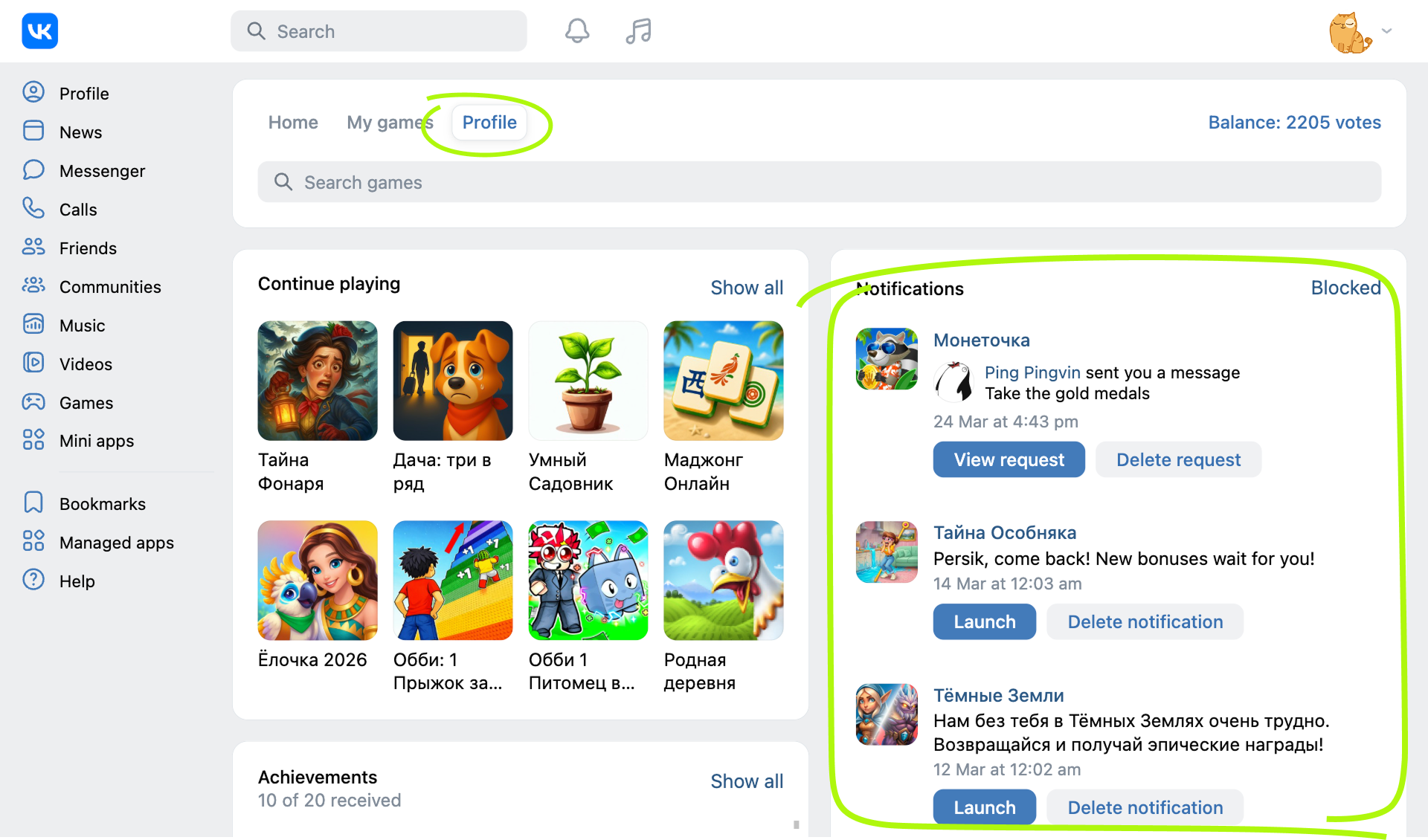 Example of the notifications feed in the desktop version of the VK website
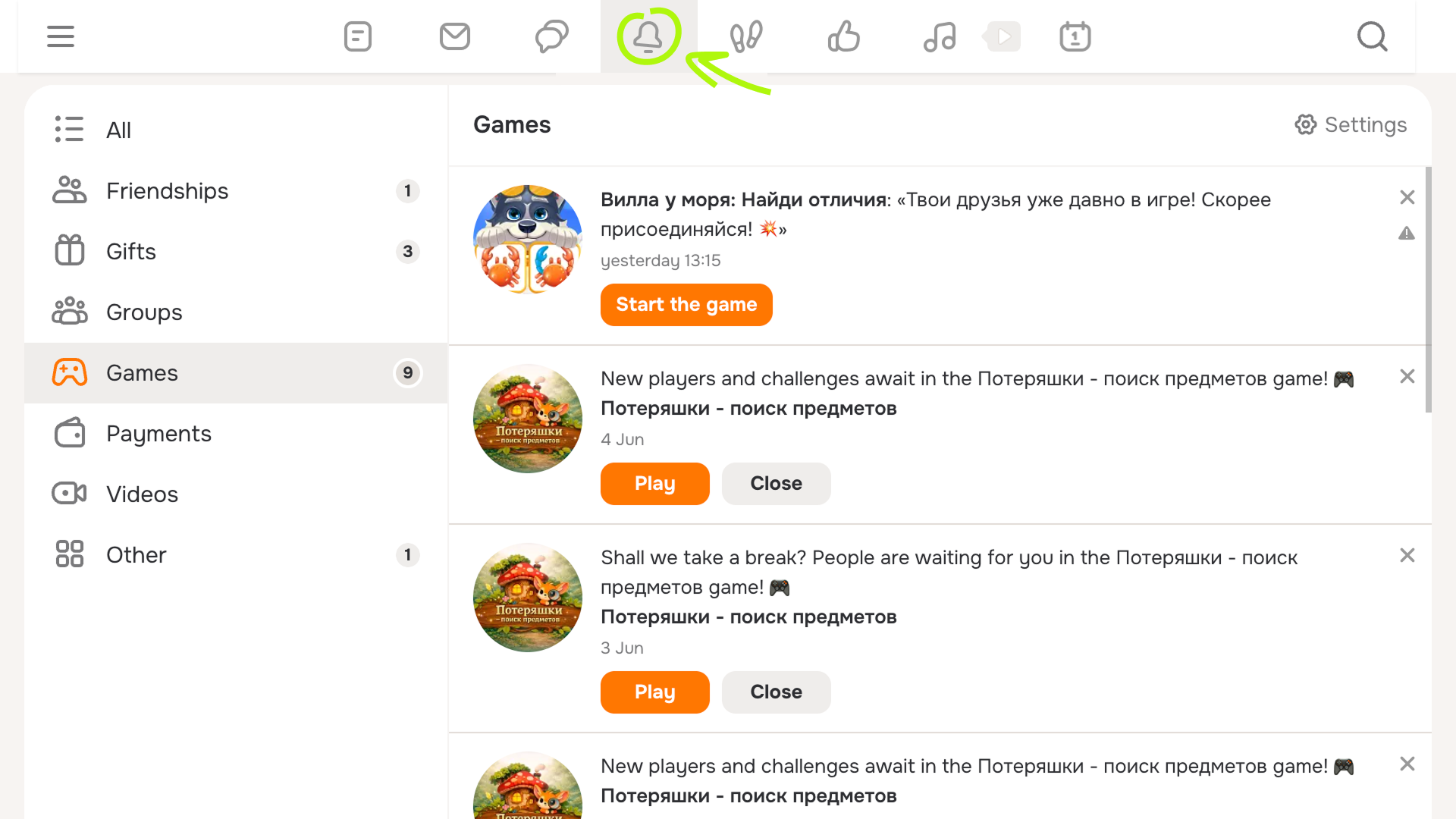 Example of notifications in the bell icon on the Odnoklassniki website
By default, notifications are enabled in the game. When launching a VK game for the first time, the user will see a pop-up message about receiving notifications.
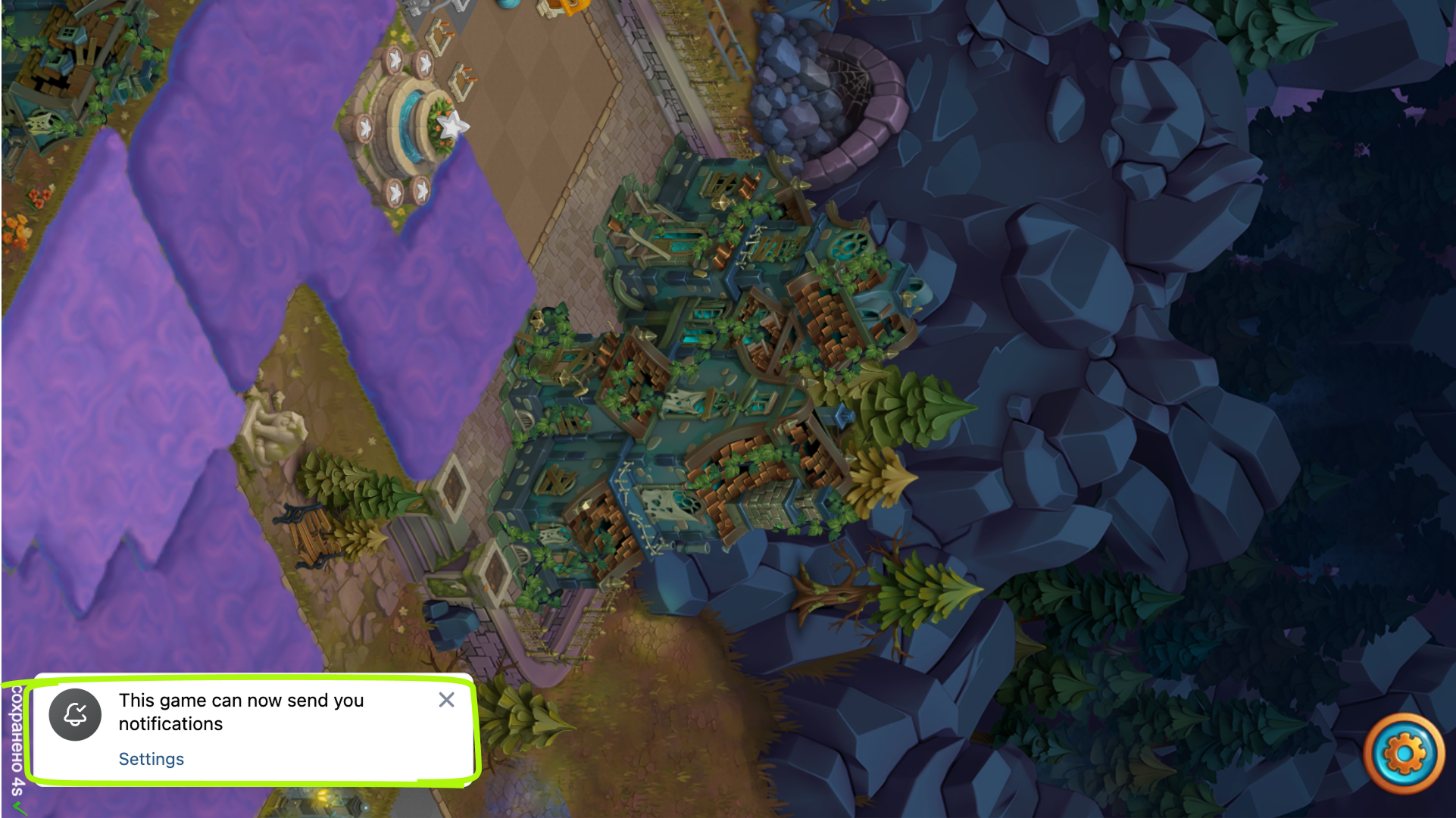 Notification permission prompt for a VK game
- •In VK, the user can click Settings in the pop-up message and disable notifications. They can also do this later from the Actions → Settings menu.
- •In Odnoklassniki, the user can disable notifications by selecting More → Notifications.
Notification types
VK games support the following notification types:
Type | Description |
|---|---|
Inform users about individual events related to the game, such as contests, campaigns, or holiday offers. | |
Remind users about the game if they haven’t launched it for several days.
Using these notifications, the game can also inform the user that their friend has completed a mission. | |
Used for mass notifications to active users in celebration of a particular event. |
The rest of this documentation explains how to set up notifications for VK games. In Odnoklassniki, you can also set up user notifications. For more details, see Notifications in Odnoklassniki.
Limitations
- •Notifications can be used in a game only after it has passed moderation and has been published in the catalog.
- •To create notifications, the game status must be Enabled.
- •In the VK and Odnoklassniki user profile settings, notifications from games and apps must be enabled.
Related materials
- •
- •
- •

