Game collections on the VK Android app
Your game can be featured in the collection if:
- •
The game passed moderation and was published in the catalog.
- •
The game meets the requirements of a specific collection. See descriptions below for more info:
- •
- •
Moderators may reject placement if there are no available slots left in the collection. Games that are the most interesting to users are prioritized.
You may apply to be featured only in the collections listed below. Other collections are generated automatically by VK algorithms. See Other collections on Android for a more detailed list.
Featured today
The "Featured today" collection is a carousel of banners on the top of the catalog. It's curated by moderators based on applications from game developers.
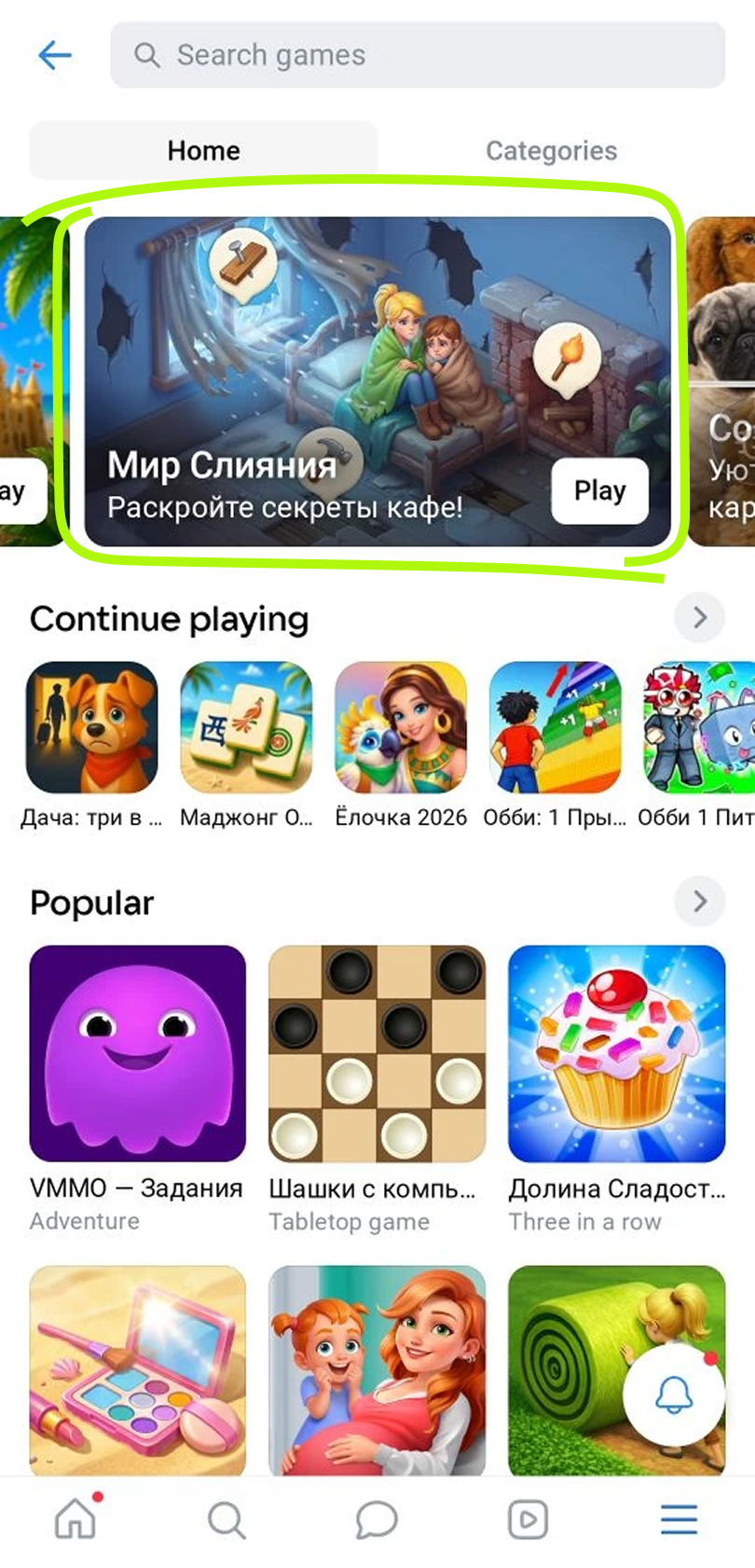 "Featured today" banner carousel example
Placement requirements:
- •
The game has been in the catalog for at least one month.
- •
The game is published on the mobile version of the VK website and the Android app.
- •
Day 1 retention rate is at least 15%.
- •
Day 7 retention rate is at least 7%.
- •
Monthly active users (MAU) is at least 3,000.
- •
If the game includes ad monetization, the number of ad impressions of any type must be at least 30 per user per month. See more about ad monetization:
- •
- •
- •
If the game offers in-game purchases, the ARPU must be at least 1 vote per month.
- •
Don't place your game's title, logo or other important elements in the lower part of the banner image, as system text above the banner may overlap them.
- •
No more than 4 games from the same developer can be featured within one month.
- •
A game can be featured again no earlier than 30 days after the previous placement.
- •
You must submit a placement application at least 7 days in advance, but no earlier than 3 weeks before the desired placement date.
- •
If you apply for featuring after updating the game (for example, if you have a seasonal or event-related update), make sure to update the large snippet (banner) image.
Holiday and event collections
These collections include games released alongside holidays or seasonal events. The name of each collection matches the holiday or event.
2026 holiday collections:
- •Valentine's Day: 12–15 February
- •International Women's Day: 5–8 March
- •Summer collection: 11–14 June
- •Autumn collection: 1–6 September
- •Halloween: 29 October — 2 November
- •Black Friday: 26—30 November
- •New Year: 30 December 2026 — 10 January 2027
These collections are curated based on applications from game developers. The placement criteria vary depending on the holiday or event. We adapt them to the current context and provide detailed requirements in announcements in the VK Mini Apps developers community.
Developers should prepare their game for the event: add new themed visuals, offer special in-game items or discounts, or introduce event-specific missions.
How to submit an application
Before submitting your application, make sure your game meets the specific collection requirements.
To submit an application to moderators:
- 1.
Go to Apps, open your game settings, select Help → Contact Support.
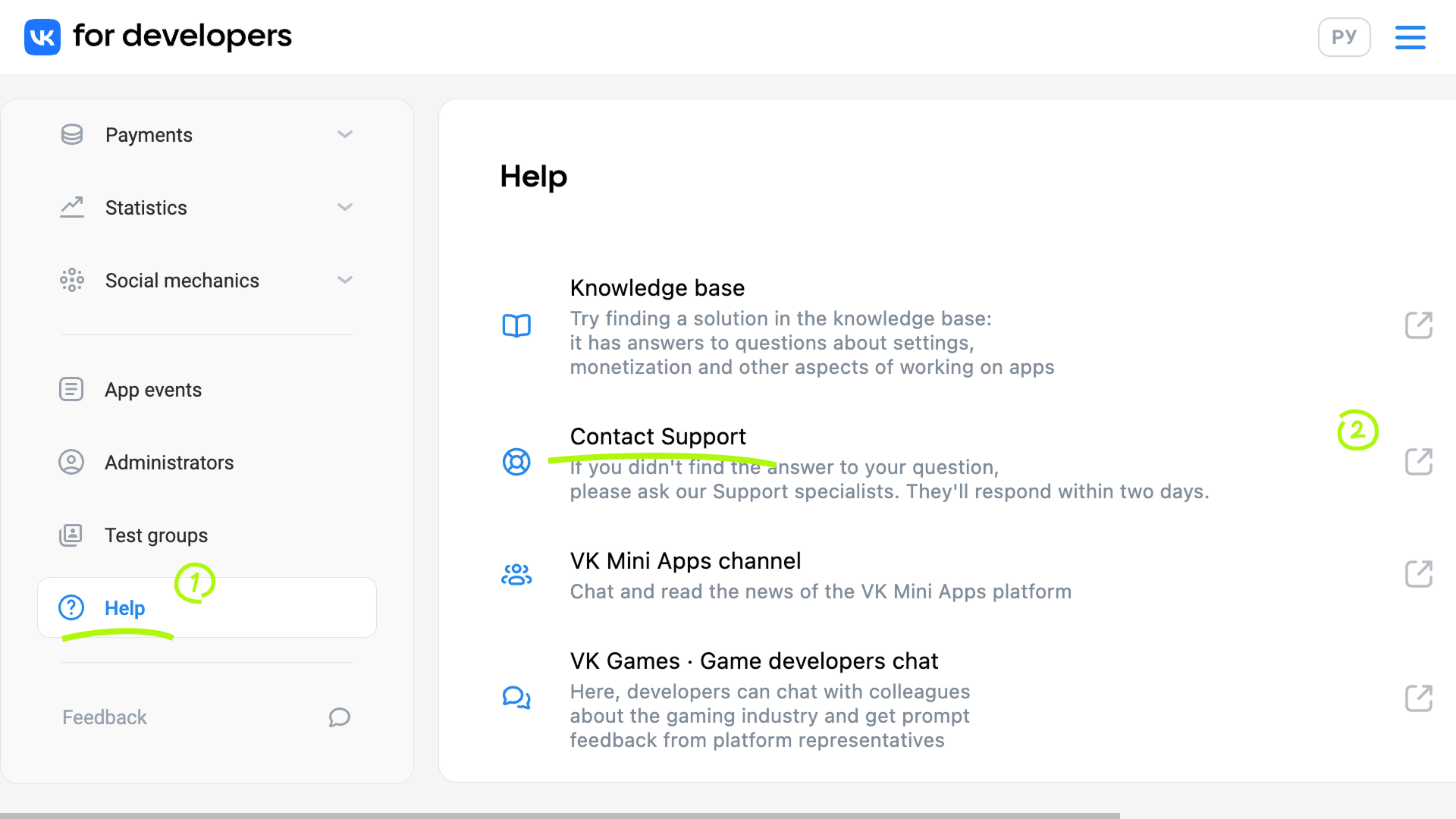 Contact Support
 Add details
 - 2.
Enter
Featuring: {name}: VKin the subject field:- •{name} can be the title of a collection, themed collection, event or holiday.
Make sure to include the platform name (VK) in the subject. Featuring applications are submitted in the same way across all platforms, so moderators need to know where you plan to promote your game.
For example:
Featuring: Featured today: VK
Featuring: New Year: VK
At this stage, VK interprets the text as a problem description by default. To proceed, select None of these options fit.
A message input form will appear, and the entered text (
"Featuring: {name}...") will become the message title. - •
- 3.
In the message body:
- •
Specify the platform for featuring: Android.
- •
Explain why the game is suitable for the collection.
- •
If the collection is related to a holiday or event, describe the holiday offers and themed visuals you prepared for your game.
- •
- 4.
Press Send.
Important! Once your application is approved, you'll need to prepare a themed square cover or banner for your game and upload it in game settings.
Tips and recommendations
- •
Don't submit applications to all collections, choose the most relevant ones instead.
- •
If your application was rejected due to the game not meeting the requirements, update the game and resubmit the application.
We usually explain the reasons for rejection. If no explanation is provided, it means the violation of requirements is obvious.
For example, if a developer applies to be featured in the New Year collection but the game doesn't have themed visuals and holiday-related in-game items, the application will be rejected.
Please review the requirements once again and make sure your game complies with them.
- •We may reject placement if there are no available slots left in the collection.
Other collections for Android
The Android catalog has two tabs:
- •
The Home tab contains collections generated automatically by VK algorithms. It also shows friends' game activity.
- •
The Categories tab contains collections of games grouped by genre. These collections are generated automatically by VK algorithms, and placement within them is also determined automatically.
Home tab
Continue playing
A collection of games the user has already played. It's used for quick search and access and is updated automatically.
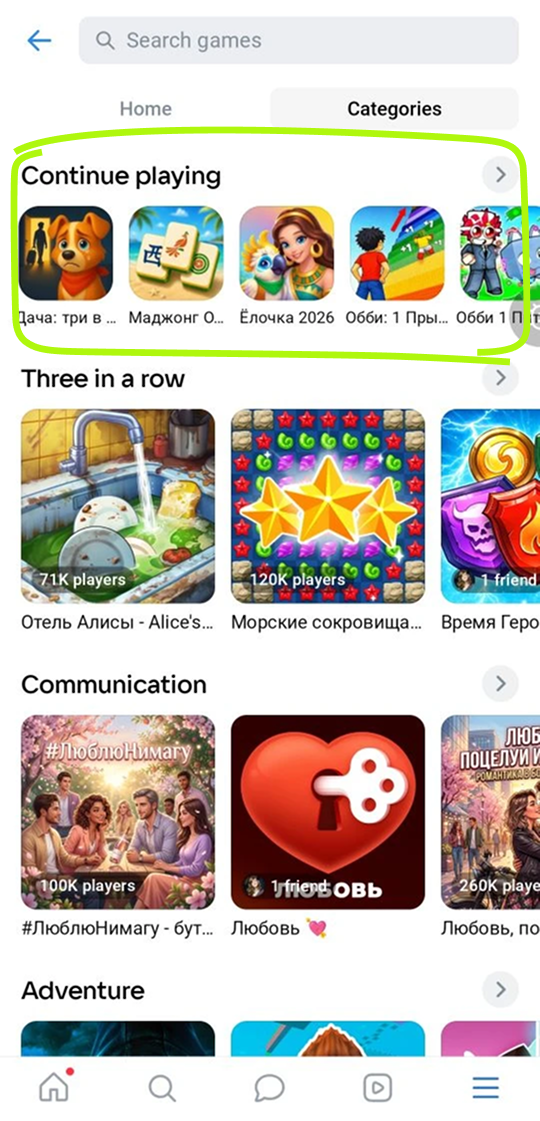 "Continue playing" collection example
New games
The collection includes up to 100 most recent games added to the catalog. When a new game is added, it appears in the collection immediately, and the oldest one is hidden automatically.
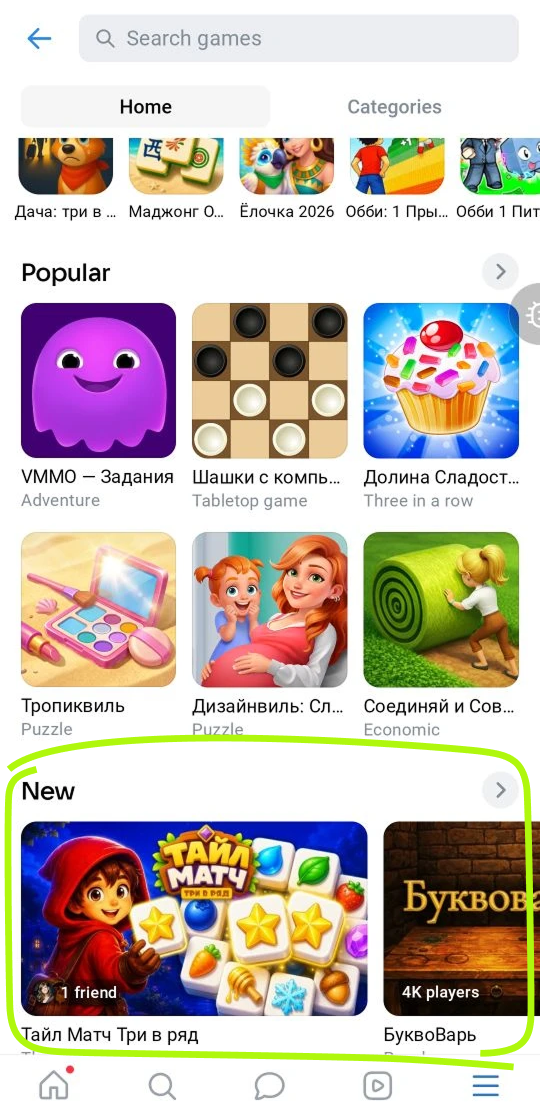 "New" collection example
Popular
A collection of the most popular games.
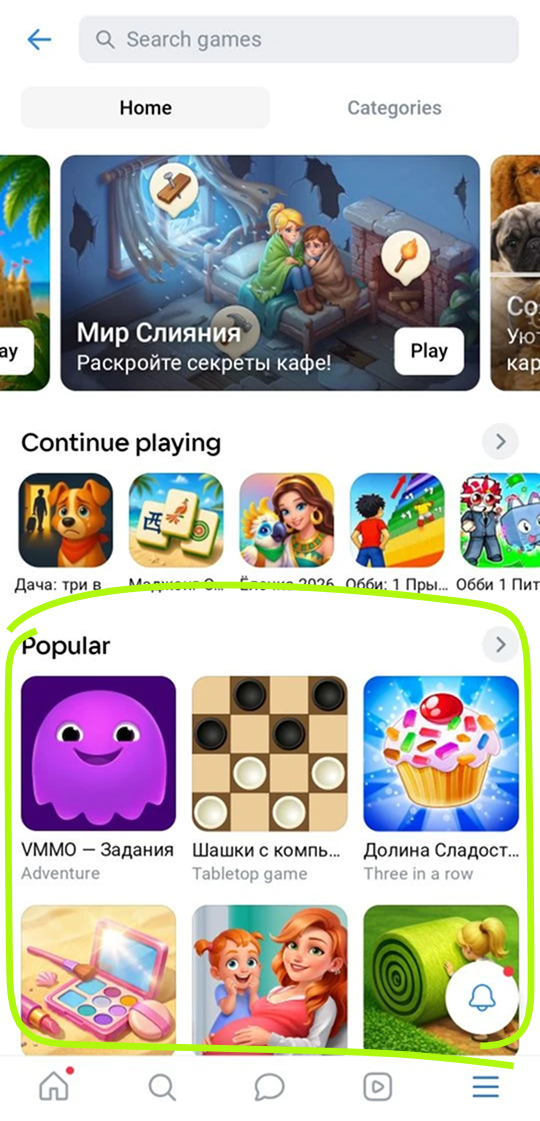 "Popular" collection example
This collection is generated automatically by VK algorithms. Placement is also determined automatically. It's based on the overall rating of the game, which depends on recent traffic growth and revenue from in-game purchases. The rating is updated daily.
Picked for you
This collection features one game selected by VK algorithms based on the user's interests. The user can press the Find another game button to get a new recommendation.
 "Recommended for you" collection example
Friend activity
Blocks with information about friends' in-game activity, such as cleared levels, completed missions and games launched for the first time.
 "Friend activity" block example
These blocks are generated automatically. To be featured in one of them, your game should reward players with points, include missions, send notifications and use other social and game mechanics.
Categories
The "Categories" tab contains collections of games grouped by genres. The genre is set in the game dashboard in Settings → Information.
 "Categories" tab example
These collections are generated automatically by VK algorithms. Placement within them is also determined automatically.
See also
- •
- •
- •

