Other ways to promote games
The "1,000 OK" promotion
"1,000 OK" is a special offer aimed at the growth of in-game purchases and an increase in gaming traffic. The promotion grants an opportunity to win 1,000 OK among users who make in-game purchases.
Users can participate in the promotion on any day from Monday through Thursday.
The active period is a full day from 00:00 to 23:59.
 Announcement of the “1,000 OK” promotion in the game community
Promotion mechanics
- 1.Game administrator submits a request to participate in the promotion. For details, see How to submit a request.
- 2.OK accepts the request and credit the prize fund to the cashback account of the app. You can see the total amount of the prize fund in the comments to the ticket you sent to moderators. The number of promotions and bonuses participating in the competition during a month must be approved with OK.
- 3.Game admin and OK determine the date of the joint promotion in advance. The promotion should be held at least 3 days after the request has been submitted.
- 4.The promotion is announced in the game's community along with its terms, such as the discount sizes and the prize of 1,000 OK to a random user.
- •On the day of promotion, publish a post and send notifications from the game no later than by 12:00 GMT+3. You can find a post template in Post templates.
- •Place the information about the promotion on the first launch screen and/or on the purchasing screen.
- •
- 5.When the promotion ends, the winner is determined. To determine one winner among participants, call the
payment.appCashbackmethod. The method will credit 1,000 OK to the player and send the game the winner's ID. The user will receive a notification that they have won bonus OK. - 6.A post featuring the winner is published in the game's community. The day after the promotion ends, no later than by 14:00 GMT+3, a post about the end of the promotion featuring the winner must be published in the official community of the game. You can find a post template in Post templates.
OK administration retains the right to select promotion participants.
Submit a request
Requests should be submitted at least 3 days before the promotion starts.
If you want your game to get into the promotion, submit a request to VK moderators. For details, see How to submit a request.
If your game was created on ok.ru, create a task of the corresponding type on jira.apiok.ru.
Post templates
Post with the "1,000 OK" promotion terms
<an image for the post>

Backgammon fans, gather round! It's time to participate in a joint promotion with OK!

Only on 30 February, from 00:00 until 23:59 GMT+3, any in-game purchase becomes a chance to win 1,000 OK!

On 31 February, OK will randomly choose the winner among those who made purchases during the promotional period and credit them with 1,000 OK!

The name of this lucky person will be announced in our community.

Maybe today's your lucky day? Come and participate!

Let's play Backgammon together!
Post with the "1,000 OK" promotion winner
<an image for the post>

It's time to announce the results of the promotion and reveal the lucky winner of 1,000 OK!

OK.ru's random number generator has chosen the winner, who took the deal and purchased OKs during the promotion. The winner is Ivan Ivanov (link to profile)! Congratulations!
Banner in the user feed
Another way to promote your game is a banner in the user feed.
- •The banner is displayed in the desktop and mobile versions of the website, as well as in the Android and iOS mobile apps.
- •Under the banner, the game name, its category, and the Play button are displayed. The button takes the user to the game.
Examples of banners in the desktop version of the website and in the mobile app:
 Banner in the user feed in the desktop version of the website
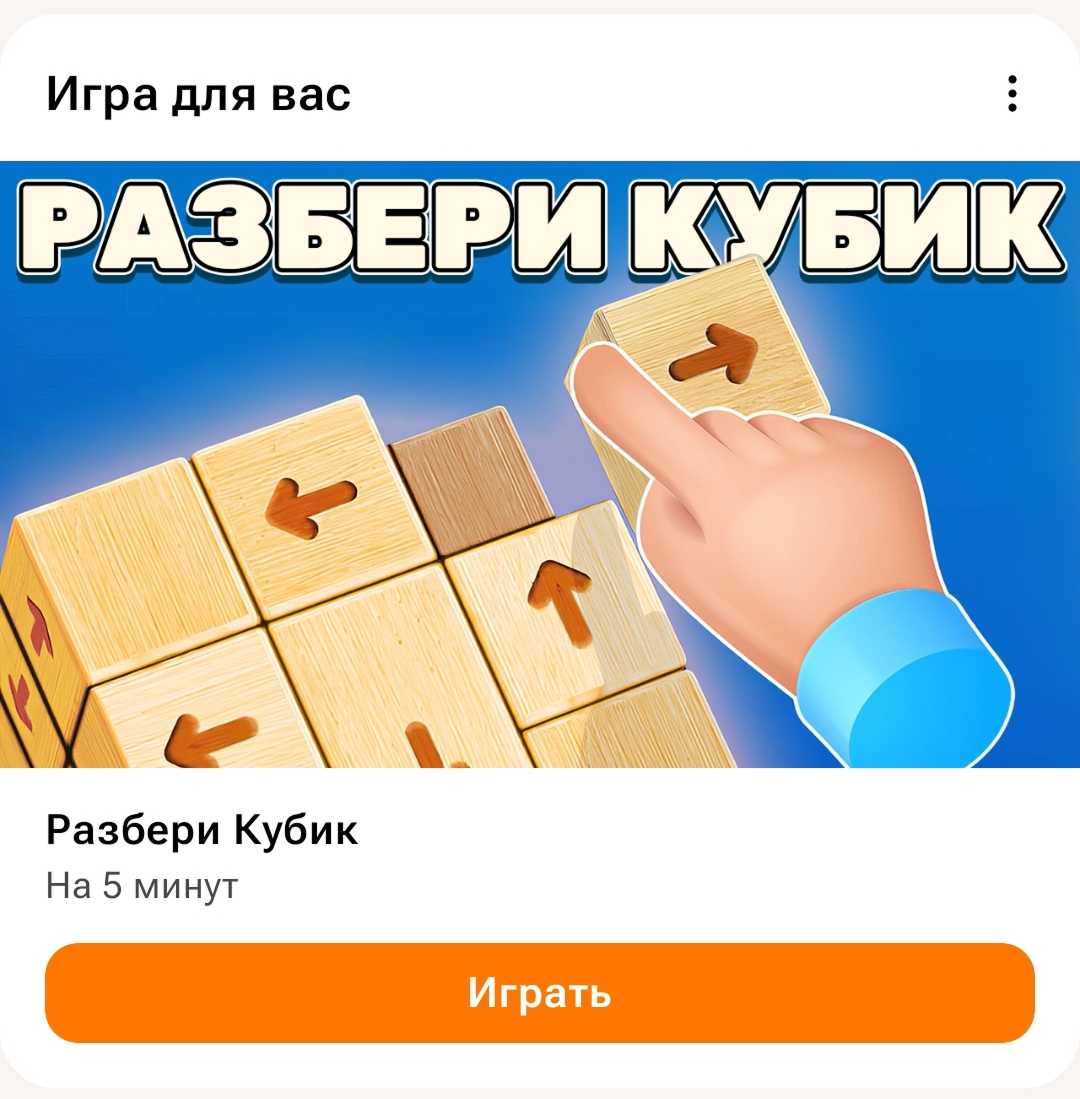 Banner in the user feed in the mobile app
Placement terms
For your request to be approved, the game must meet the following requirements:
- •
The game has been in the catalog for at least a month.
- •
The game has been published on the OK mobile website and the Android app.
- •
First day retention rate: 15%.
- •
Seventh day retention rate: 7%.
- •
Number of monthly active users (MAU): at least 3,000.
- •
If the game features ad-based monetization, the number of ad impressions of any type should be at least 30 monthly impressions per user. More about ad-based monetization:
- •
- •
- •
If the game features in-game purchases, monthly ARPU per user should be at least 7 OK.
- •
No more than 4 games by a single creator per month are allowed for placement in the user feed for promotion.
- •
The game can be placed in the user feed again at least 30 days after the first placement.
- •
Request for placement in the user feed must be sent at least 7 business days in advance, but no earlier than 3 weeks before the desired placement date.
- •
When applying for placement in the feed after a game update, e.g. for holiday or season events, make sure to update the promotional banners.
Submit a request
If you want your game's banner to appear in the user feed, upload an image and submit a request to VK moderators.
Image requirements:
- •Size: 1120×630 px.
- •The game name is included.
- •No elements that look like buttons, e.g. Play.
To upload the image and submit a request:
- 1.
Open the app list, find your game and click on Settings.
- 2.
In the left-hand menu, select Settings → Design. Upload the image to the Big snippet field. For details, see Design (game settings).
- 3.
Submit a request for banner placement in the user feed to VK moderators. For details, see How to submit a request.
If your game was created on ok.ru, create a task of the corresponding type on jira.apiok.ru.
Challenge for a gaming session in the gamification service
In the OK gamification service, users can get valuable rewards for completing certain challenges. These could be internal services or special currency that can be exchanged for OK services.
Challenge options:
- •
A series of in-game challenges that feature games selected by the OK team from the internal list of top games. Such challenges are always available to users and the game roster is regularly updated by the gaming platform team.
- •
Individual time-based challenges for certain games. E.g.: Play the game for more than 5 minutes.
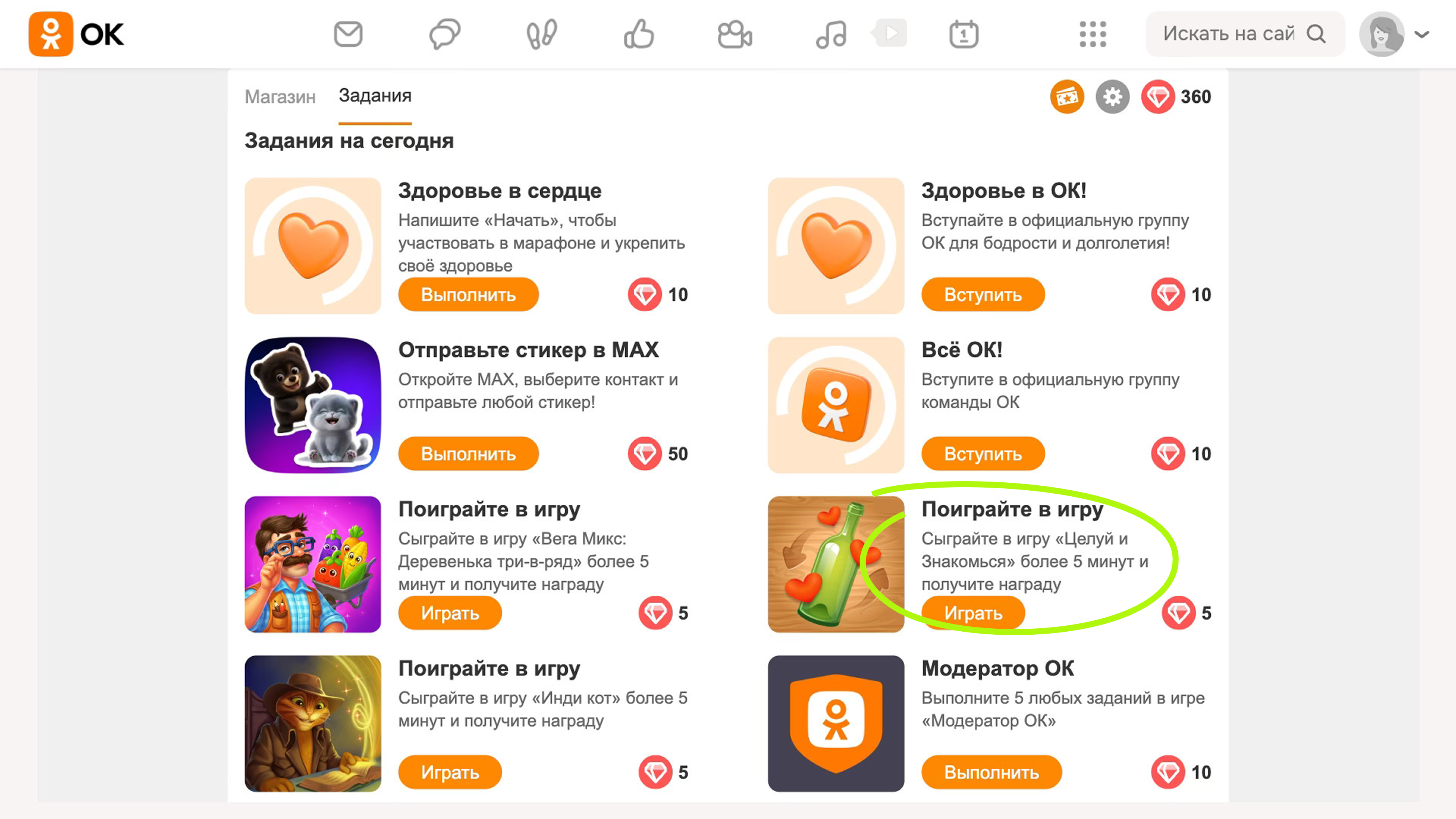 Game challenge example
Placement terms
- •
The game has been in the catalog for at least a month.
- •
First day retention rate: 15%.
- •
Seventh day retention rate: 7%.
- •
Number of monthly active users (MAU): at least 3,000.
- •
If the game features ad-based monetization, the number of ad impressions of any type should be at least 30 monthly impressions per user. More about ad-based monetization:
- •
- •
- •
If the game features in-game purchases, monthly ARPU per user should be at least 7 OK.
- •
No more than 4 games by a single creator per month are allowed for placement in the gamification service.
- •
The game can be placed in the service again at least 30 days after the first placement.
- •
Request for placement in the gamification service must be sent at least 7 business days in advance, but no earlier than 3 weeks before the desired placement date.
Submit a request
If you want your game to get into the gamification service, send a request to VK moderators. For details, see How to submit a request.
Make sure to indicate the following in your request:
- •ID of the game for which the challenge is added.
- •Promotion period.
The optional additions are:
- •PNG image 128×128 px that will act as the challenge icon. A standard icon from your game's settings is taken by default.
- •Desired audience that will have access to the challenge. The challenge is available to all users by default, but you can specify your requirements to the promotion audience if necessary. For example, you can:
- •Filter the audience by gender and age.
- •Select the users who have already played the game or only attract new players.
- •Filter the audience by the date of last online in-game, payments made, or the date of last payment.
- •
If your game was created on ok.ru, create a task of the corresponding type on jira.apiok.ru.
Limitations
- •
The promotion can only be done once every 6 weeks for any game.
- •
Game challenges refresh every 4 days, and challenges in game series refresh every 7 days.
- •
The standard promotional period is 2 weeks.
You can launch the promotion for a shorter period, but since the challenge becomes available to users again, we don't recommend reducing the duration. You can choose the start date of the promotion yourself.
When the promotional period ends, we can prolong its duration. Prolongation depends on the metrics we analyze after the original promotional period has ended. You may choose not to prolong the period.
See also
- •
- •

