How to submit a request
For games created on VK Mini Apps
Requests for promotion of games created on the VK Mini Apps platform are all submitted the same way. The only differences concern banner requirements, if they are necessary, and ticket topics.
First, you need to prepare and upload banners if your chosen promotion method requires them. For details, see the description of each of the methods.
To send a request to moderators, do the following:
- 1.
In the app list, open the settings of the game you want to promote and go to the Help section.
- 2.
Click on the arrow next to Contact Support.
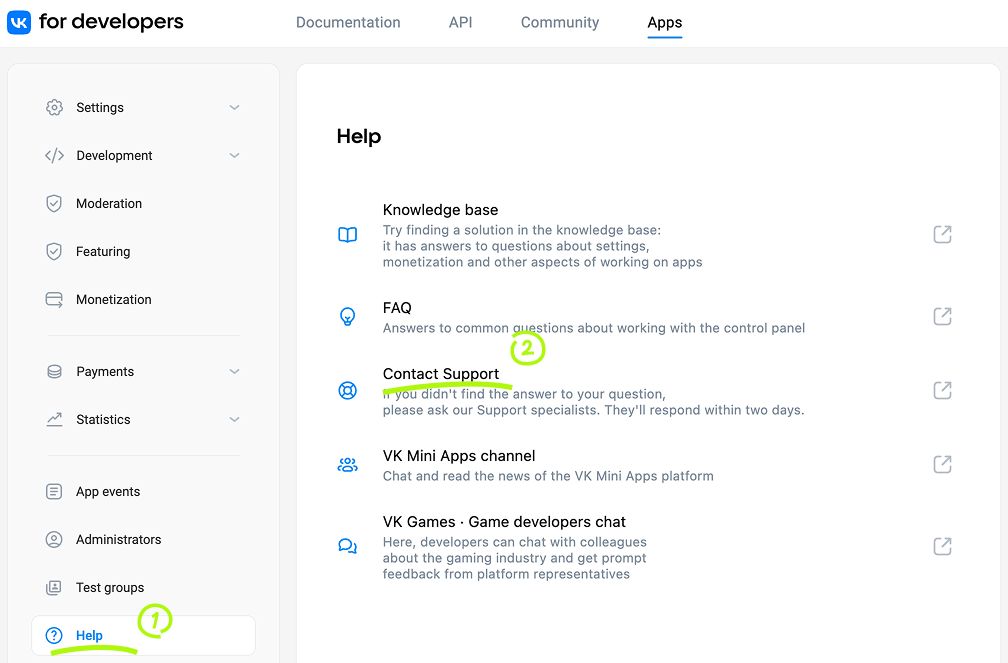 Contact Support
 - 3.
In the input box, type
Featuring: {collection}: {platform}:- •{collection} is a selection, themed collection, event or holiday.
- •{platform} is the social network your game is in.
For example:
Featuring: Offers and updates section: OK Featuring: Recommended Mob: OK Featuring: Recommended Web: OK Featuring: 1,000 OK promotion: OK - •
- 4.
Click on None of these options work for me.
The message box will appear, and the text you typed (
"Featuring...") will become the title of the message. - 5.
In the message:
- •List the platforms where you want to be placed in collections.
- •Explain why your game fits the collection. If the collection is linked to a holiday or event, describe what holiday special offers and designs you have prepared in your game.
- •If you send a request to a Web collection, write the ID of the video banner and the ID of the community it has been added to.
- •
- 6.
Click Send.
For games created on OK.ru
Requests for promotion of games created on OK.ru are submitted using Jira:
- •
- •
- •
- •
- •
- •

