The translation was generated automatically and may contain mistakes
Connectivity
Enable Keyboard in Community Settings
To make the keyboard appear in the chat window, turn it on:
- 1.
Open your VKontakte community..
- 2.
Go to the page Management of Messages and turn it on Community Messages .
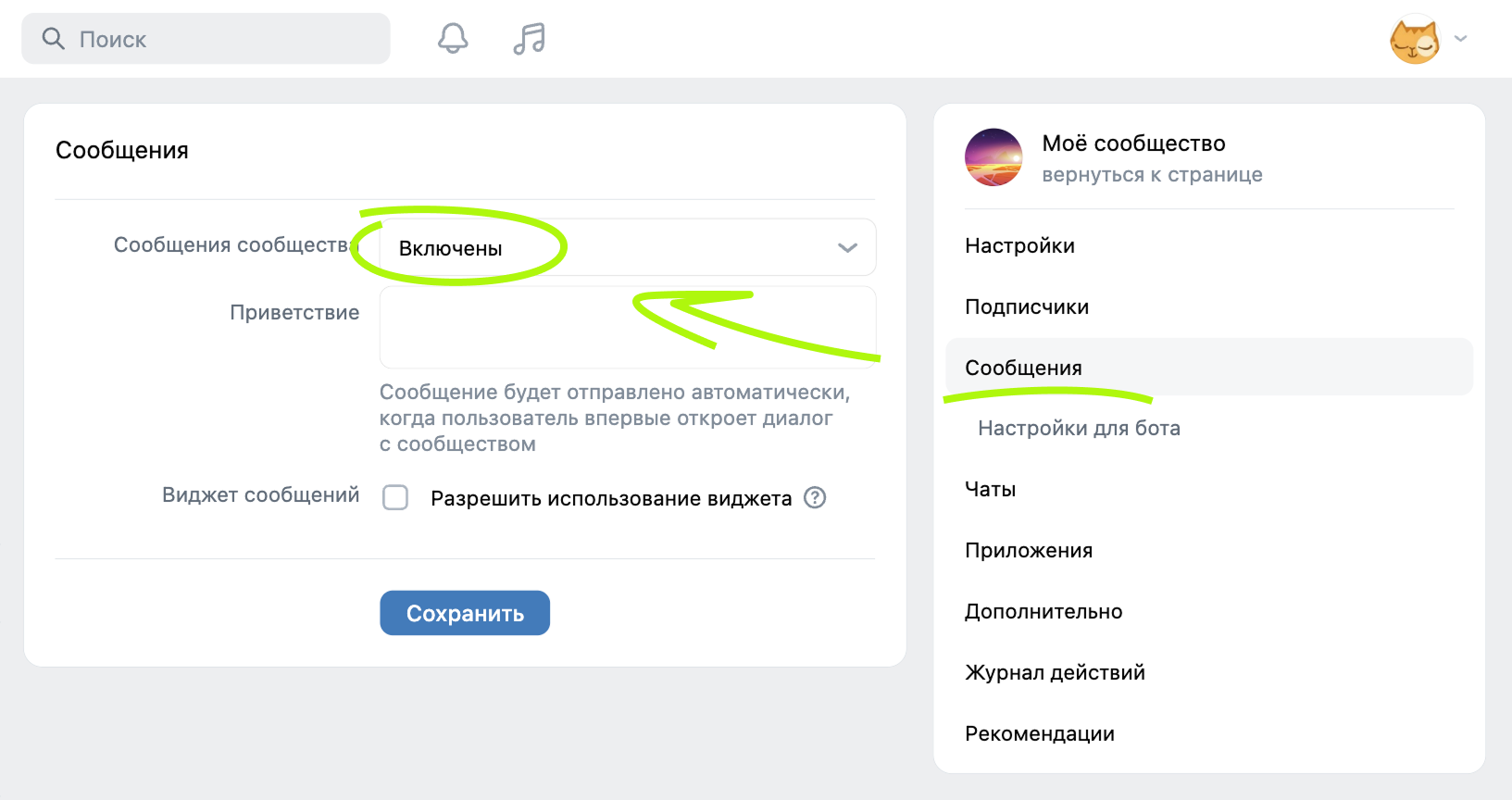 Inclusion of community messages
Save the changes.
- 3.
Switch to section Management → Messages → Settings for the bot and turn it on The capabilities of bots .
 Setting "Opportunities of bots"
You can check the box at the point Добавить кнопку« Начать» . In this case, the default keyboard will contain a button "Start".
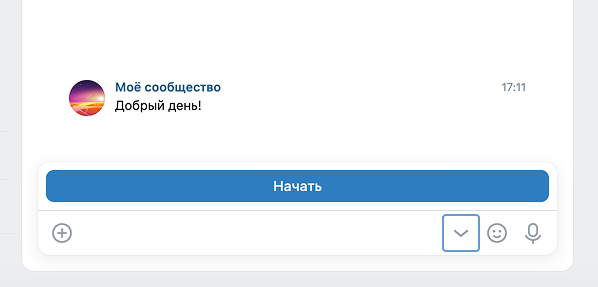 Start button in the chat window
Save the changes.
You can now add a keyboard to messages.
Add Keyboard to Messages
To add a keyboard to a message, use API VKontakte : Send a response to the user using the API request messages.send and specify the desired button configuration in the parameter keyboard this request. The parameter takes data as a JSON string. More information about the format of objects and their properties - in the section Keyboard Paramers .
If the parameter keyboard Incorrectly transmitted, request messages.send Return the Error 911. Keyboard format is invalid .
Materials on the topic
- •
- •
- •
- •

