The translation was generated automatically and may contain mistakes
Working with callback buttons
Callback buttons allow you to process clicks without a message from the user. When you press the button, the bot server receives an event.. message_event , after which the bot can perform the desired action — for example, edit the message, show the notification, send a new keyboard or open the link. More about the parameters of the button - in the section Types of buttons .
Appearance
Callback buttons are not visually different from regular buttons and support the same styles. After clicking on the button, the execution indicator is displayed until a response is received.
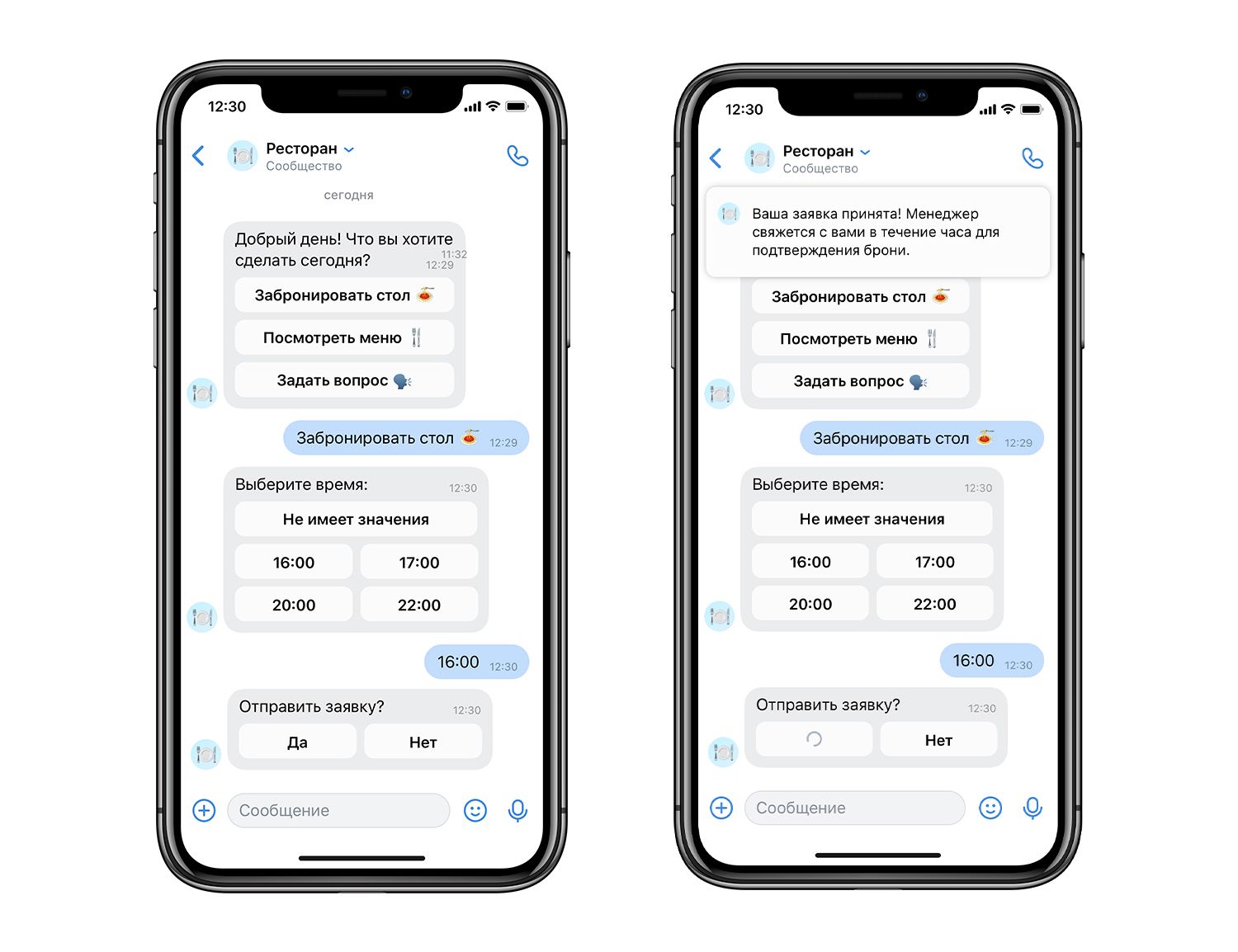 Example of callback buttons
Examples of Use
- •Navigating the bot menu. The user presses the callback button, the bot returns a new keyboard — the transition to the next level of the menu — without additional messages from the user.
- •Editing the message. The user selects a category, for example, dishes in an inline keyboard, the bot edits the original message and displays a new list.
- •Confirmation of the result of the action. The user clicks a button, for example, "Fill the balance", the bot performs an operation and shows the user the information "Fill the balance" using the snekbar without sending a message to the chat.
Working principle
- 1.The bot sends a message with a keyboard containing a type button
callback. - 2.The user presses the button.
- 3.The bot receives the event
message_eventCallback API or LongPoll API. - 4.The bot generates a response to the event by specifying the required action in the parameter
event_data, and sends in a methodmessages.sendMessageEventAnswer. - 5.The code on the user side receives a response and performs an action: shows a snekbar, opens a link, application or other actions.
Types of action
Field event_data A JSON object that describes the action the client needs to perform.
show_snackbar
Shows a pop-up notification — snekbar. Displayed for up to 10 seconds and can be hidden by the user manually.
 Update
Field | Type | Description |
|---|---|---|
type | string | Type of action. Meaning: show_snackbar . |
text | string | Text of the notification. The maximum length is 90 characters. |
open_link
Open the URLs.
Field | Type | Description |
|---|---|---|
type | string | Type of action. Meaning: open_link . |
link | string | URL that needs to be opened. |
open_app
Opens mini-application .
Field | Type | Description |
|---|---|---|
type | string | Type of action. Meaning: open_app . |
app_id | int | Mini-application identifier |
owner_id | int | The community identifier in which the application is installed, if required to be opened in a community context. |
hash | string | Хеш для навигации в приложении. Будет передан в строке параметров запуска после символа # . |
Materials on the topic
- •
- •
- •
- •

