Leaderboards
A leaderboard shows the in-game achievements of users and their friends. The game platform creates a table based on the number of cleared levels, points or mission scores. The table shows who achieved more in the game.
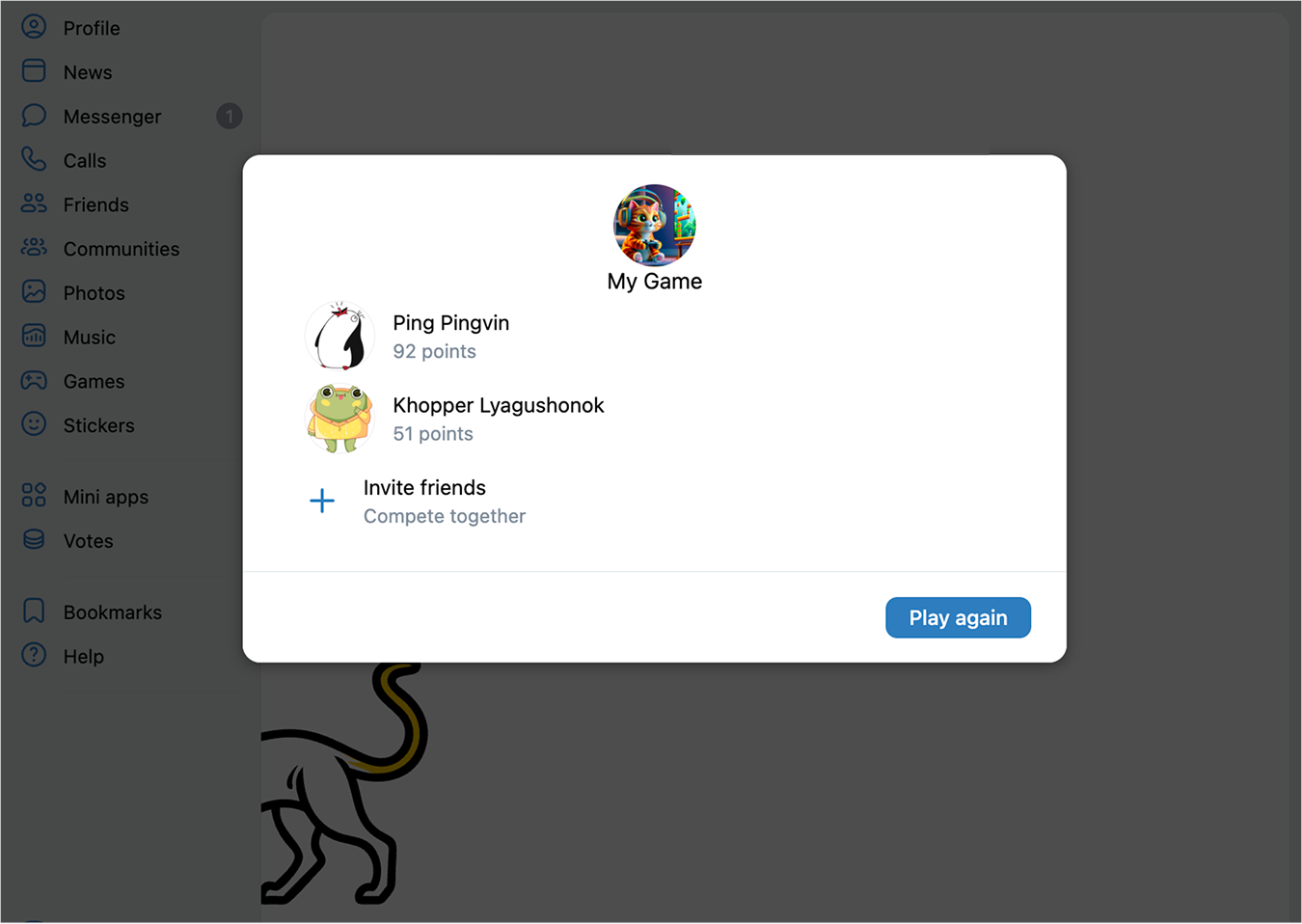 Leaderboard example
Leaderboards maintain the spirit of competition and allow to invite friends to the game.
How to implement
Step 1. Select leaderboard type in the game settings
- 1.
Go to the app list and open your game's settings.
- 2.
In the left menu, go to Settings → Additional and select the values in the Leaderboard block that'll be used to create a leaderboard: levels, points or mission scores.
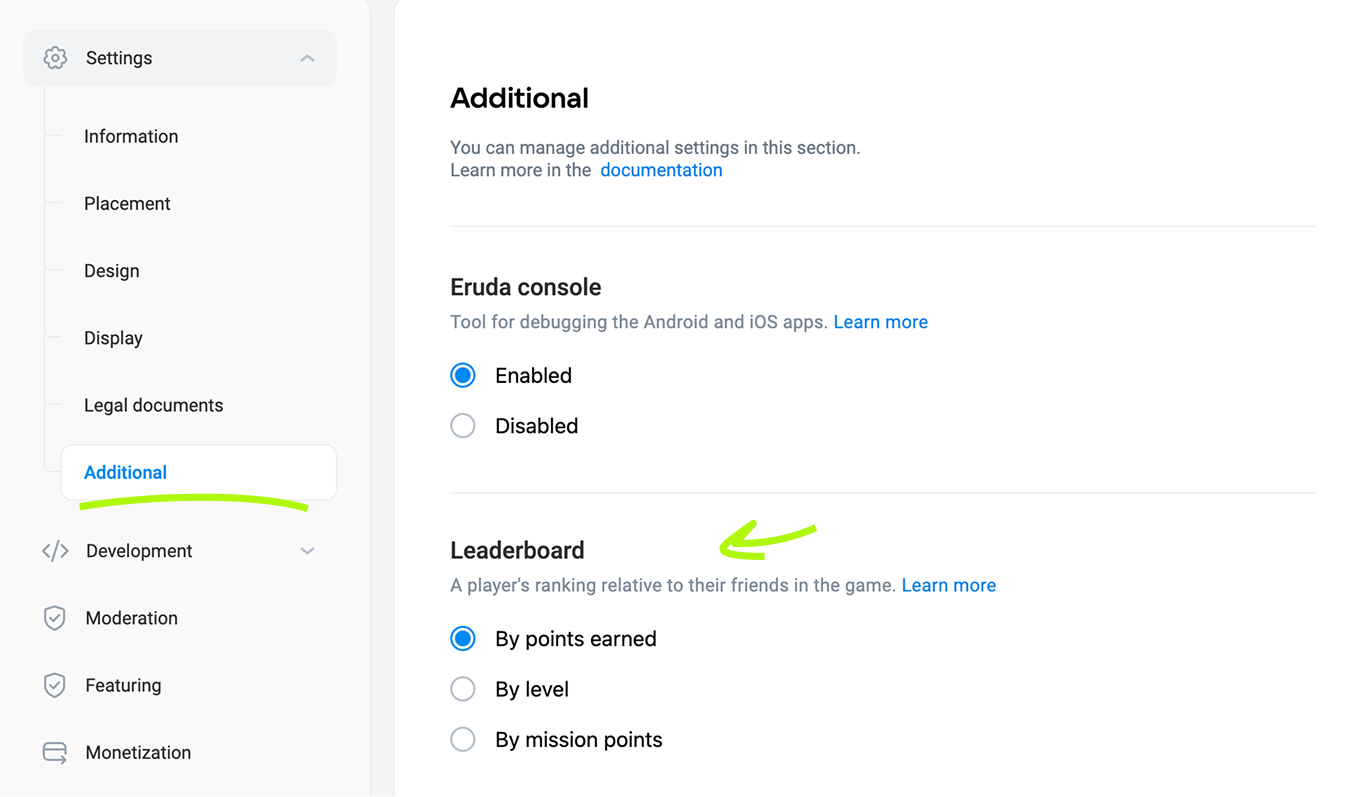 Selecting leaderboard type in the game settings
Tip. Choose the type of data that better reflects the long-term progress in your game:
- •
For a three in a row game with story or map progression, choose levels.- •
For an arcade or game where you need to set records, points work better.
Step 2. Change levels and score points in the game
In order for the platform to create a leaderboard, it must have information about user achievements, such as the number of levels completed, mission scores achieved or points reached.
To register the user's in-game achievements, use the secure.addAppEvent API method on the game's server side. See also:
- •
- •
- •
Step 3. Show the leaderboard
To display the leaderboard in-game, call the VKWebAppShowLeaderBoardBox event and send the level, the amount of points or mission scores to the user_result parameter.
You can display the leaderboard upon pressing a button or link, or automatically after completing a challenge, such as after a mission.
Tip. In games where achievements are based on the user's position in a leaderboard, you can display it immediately after the end of the game session so the player can assess their achievements.
Usage specifics
- •
If you use
secure.addAppEventmethod to save the user's achievements, it's necessary to consider several restrictions:- •
It works only for games that have passed moderation and were published in the catalog.
- •
Every next value of
valuemust be higher than the last, or else the method will return an error.
- •
- •
There are restrictions to user achievements:
- •Level number: from 1 to 15 000.
- •Points: from 1 to 10 000 000.
- •Mission scores: from 1 to 2 000.
The
VKWebAppShowLeaderBoardBoxevent doesn't check if theuser_resultparameter value fits these restrictions. - •
See also
- •
- •
- •
- •
- •

