The translation was generated automatically and may contain mistakes
The VKontakte Plugin Catalogue
So that community administrators VKontakte be able to quickly find and connect useful tools, we created plugin directory . This is a community plugin showcase: the administrator can open it from the community settings or via a direct link.
In the catalog, only plugins that have passed are published. moderation . At the same time, moderation does not guarantee publication: some of the verified plugins are not displayed in the directory.
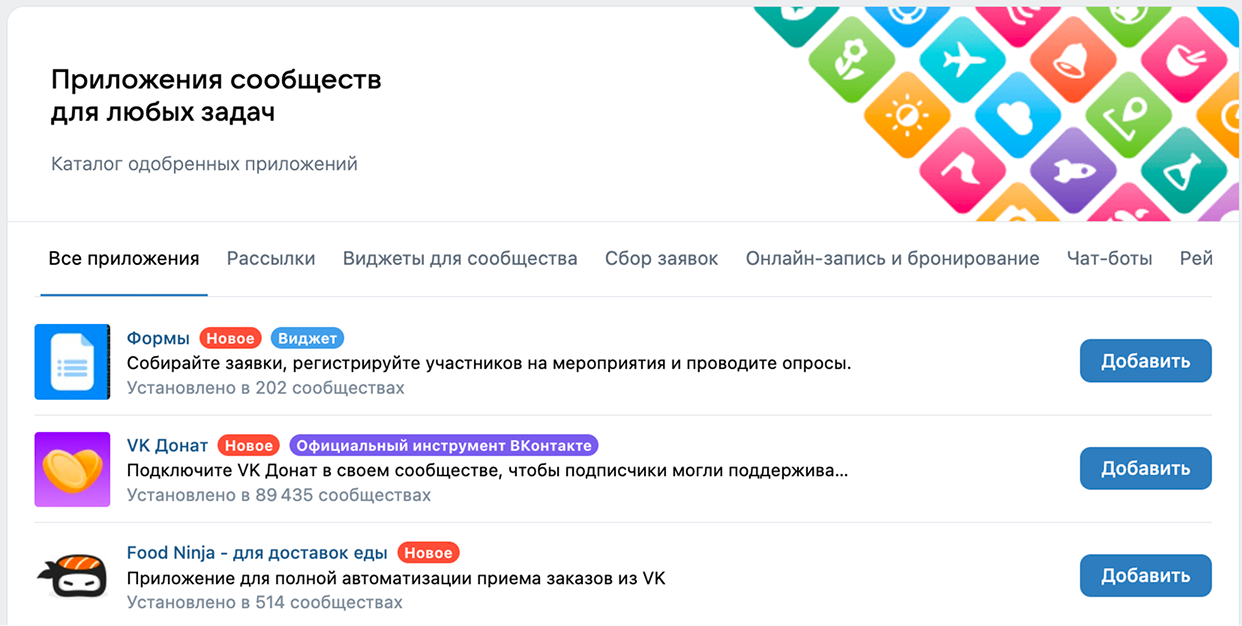 Plugin directory
Advantages of the catalogue
- •The directory is available directly from the community settings, so the plugin from it can be installed by the administrator of any VKontakte community..
- •Before publication in the catalog, plugins are checked for compliance with the platform requirements and quality criteria.
- •The plugins in the catalog are divided into categories.
- •If the plugin has widgets configured, this is also displayed in the directory.
How to get into the catalog
Preparation for moderation
Before submitting the application:
- 1.Make sure the plugin is compliant Rules for placing mini-applications and games on the VK Mini Apps platform .
- 2.Specify the name and description of the plugin, upload icons and screenshots, enable the plugin for users.
More details in section How to get to the catalog - Step 1. Prepare a mini moderation app .
Sending an application
To submit an application for moderation:
- 1.
Open up. list of Apps and press Settings in front of your app.
- 2.
In the menu on the left, select the section Moderation and press Send a request .
- 3.
Select the platforms for which you want to be tested.
To submit a plugin for iOS validation, follow these additional steps:
- •
In the field Company name section Information about running on iOS Indicate the name of your company.
- •
Make sure the plugin is compliant apple's Rules and Requirements .
- •
- 4.
Describe the idea and tasks of the plugin, tell about its target audience. This will speed up the moderation process and help the moderation team work with your plugin.
Important! Если вы планируете показывать рекламу или принимать оплату голосами, в настройка?1?… должна быть подключена монетизация. Иначе заявка будет отклонена. Подробнее — в разделе Monetization (mini-application settings) .
- 5.
Press Send a request . The plugin will be checked by moderators.
Tracking the status of the application
After sending to check in the section Moderation The status will be displayed Verification . Details of the application and the message from the moderator can be viewed at the bottom of the page in the block Chat with Moderator .
How to Remove a Plugin from a Directory
To remove the plugin from the directory, contact the moderator: in the control panel in the section Assistance press Write to Support Ask your question in a free format.
Materials on the topic
- •
- •
- •

