Notifications (mini app settings)
If your mini app is listed in the catalog, you can configure it to automatically send notifications to its users when specific events occur. The user will receive a push notification and an alert from the mini app in the bell once they sign in to VK.
In this section, you can create notifications to engage active users or remind inactive users to return to the mini app.
How to open
Open the mini app control panel and select Social mechanics → Notifications from the left-side menu.
What it looks like
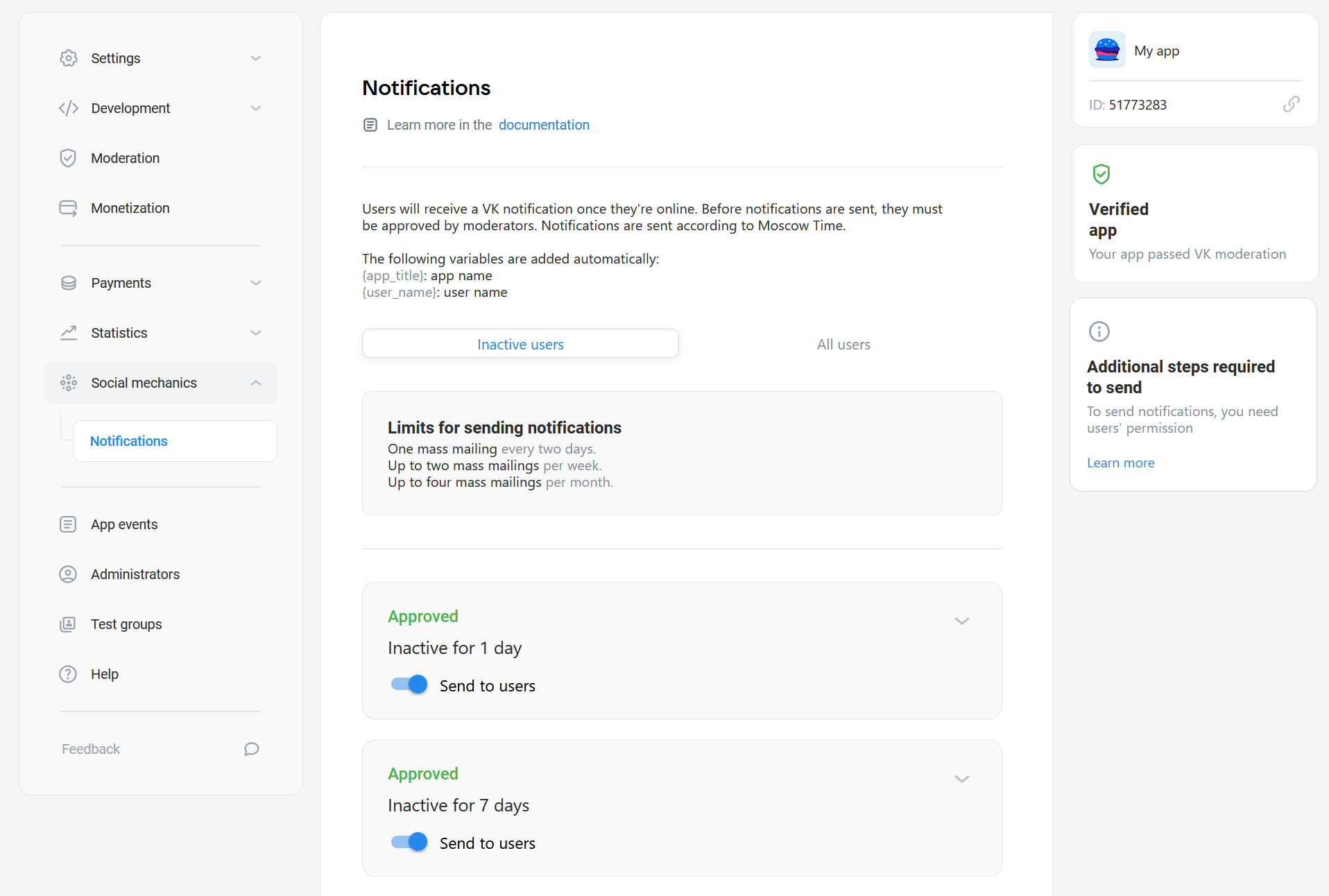 Example of the section Social mechanics | Notifications
Who has access
- •
Only mini apps that have passed moderation and have been published in the catalog can send notifications.
- •
Notification settings are available to mini app administrators with the following permissions:
- •Creator of the mini app.
- •Administrator with full access.
- •Administrator with partial access and the "Editing" permission.
- •
Settings
To inactive users
Inactive users are those who haven't launched the mini app for more than one day.
In this section, you can create notifications for such users and configure them based on the number of days of inactivity: one, seven or 30.
The following variables can be used in the notification text. The platform will automatically replace them with the appropriate values when sending notifications.
Variable | Description |
|---|---|
{app_title} | Name of the mini app as specified in the Information section |
{user_name} | Name of the user receiving the notification. Only the first name will be used, as shown in the user's VK profile |
Restrictions
The platform limits the number of notifications sent to inactive users. You are allowed to send one notification every two days, two notifications per week and four per month. Any additional notifications will be blocked.
To all users
On this tab, you can configure notifications for all users, regardless of their activity. Use such notifications to inform users about major updates in the mini app or special promotions.
Restrictions
- •
Notifications to all users can be sent no more than once every three months.
- •
Campaign duration must be no more than 14 days.
- •
No more than three such notifications can be active at the same time.
Notification review
- 1.
To preview how the notification will appear to a user, you can send it to yourself. To do this, press Send to me in the notification block.
The "Send to me" button is available to the mini app creator and administrators with full access.
- 2.
To activate a notification, send it for moderation to VK moderators and wait for the result. The result will appear next to the notification text.
Important! The review takes time. We recommend submitting notifications for moderation seven business days before the intended launch.
Notifications from the To inactive users tab start working immediately after passing moderation.
Notifications sent to all mini app users will start on the date specified during notification creation.
Related materials
- •
- •

