The translation was generated automatically and may contain mistakes
Check that the event is set correctly
For diagnostics:
- 1.
Open the page of the site on which the pixel is installed.
- 2.
Open up. Console in the browser. To do this, look at the page code; you can use a combination of keys:
- •
Ctrl + Shift + Ifor Windows. - •
⌥ + ⌘ + Ifor macOS.
- •
- 3.
Go to the tab Network ( Network ).
- 4.
Filter calls by word
rtrg. As a result, you will see all the pixel calls in the conversion.- •The name of the event, in this case “Conversion?2?.
 Name of event
- •The value of the event, in this case
100.
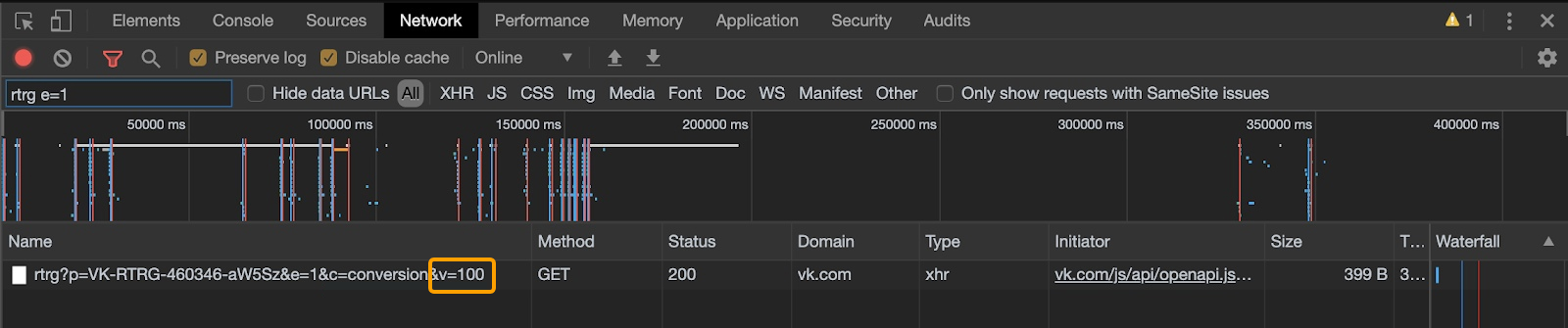 Value of event
 - •

