The translation was generated automatically and may contain mistakes
VK QR
To place links to the mini-app offline, use QR codes. This will help to make VK QR A library for generating QR codes.
NPM : vk-qr
Appearance of QR Code
 QR code
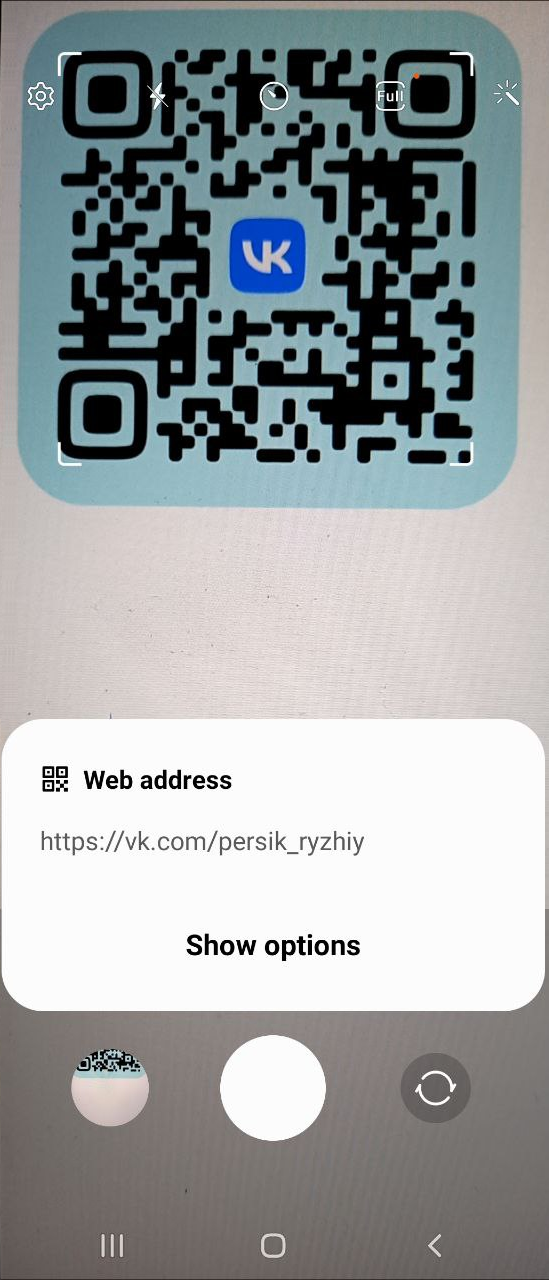 Information read from QR code
Working with the Library
- 1.
Go to the mini-application project folder:
Shellcd <ПУТЬ_К_МИНИ_ПРИЛОЖЕНИЮ> - 2.
Install the library:
Shellyarn add @vkontakte/vk-qr || npm install @vkontakte/vk-qr - 3.
Initialize the library:
JavaScriptimport * as qr from '@vkontakte/vk-qr'; - 4.
Call an Event
createQRobjectqr.JavaScriptconst qrSvg = qr.createQR(text, qrSize, className, options);
Platforms
Android, iOS, Mobile Web, Web
Parameters
Parameter | Type | Description |
|---|---|---|
text | string | A line to convert to QR code. |
qrSize | integer | Code size in pixels. |
className | string | The class of the parent SVG element of the QR code. |
options | object | The object of the custom settings you want to apply to the generated QR code.
Object parameters:
• isShowLogo ( bool ) — Display the logo of the VKontakte> Possible values:
• false QR code without logo,
• true QR code with logo.
• isShowBackground ( bool ) — Display background. Possible values:
• false Without a background,
• true - with a background.
• backgroundColor ( string ) is the background color of the QR code in the HEX encoding. The background color is set if the parameter isShowBackground It matters true .
• foregroundColor ( string QR code color in HEX encoding.
• logoColor ( string ) — the background color of the VKontakte logo in the HEX encoding. The background color is set if the parameter isShowLogo It matters true . Default value: "#4680c2" . |
Example of use
JavaScript
let text = 'https://vk.com/persik_ryzhiy';

let options = {};

options.isShowLogo = true;
options.isShowBackground = true;
options.backgroundColor = "#bbebf0";

const qrSvg = qr.createQR(text, 256, "qr-code-class", options);

document.body.innerHTML = qrSvg;To read the QR code programmatically, use an event in the mini-app VKWebAppOpenCodeReader .
Result
Event createQR returns the SVG string.

