Banner ads
You can add banner ads to your game to earn revenue from ad impressions. Banners are placed at the top or bottom of the screen so they don't block gameplay or distract the player from the main activity. The banner size automatically adapts to the screen orientation, screen size and the selected theme.
Banner ads are available on all platforms: mobile apps for Android and iOS, and the mobile and desktop versions of the VK and Odnoklassniki websites.
Banner materials come from the VK advertising network. The game developer can't control which materials are shown. The developer also can't control whether any banner components are shown or hidden.
How to add banner ads
To show or hide banner ads and check their status, use the following events from the VK Bridge library:
- •
VKWebAppShowBannerAdto show a banner ad in the game. - •
VKWebAppCheckBannerAdto check whether the banner ad opened by theVKWebAppShowBannerAdevent is displayed. - •
VKWebAppHideBannerAdto hide the ad in the game. - •
VKWebAppBannerAdUpdatedto receive updates about banner ads (subscribe to this event). - •
VKWebAppBannerAdClosedByUserto know when a user closes the ad using the close button on the banner (subscribe to this event).
Important! If the game is available on multiple platforms, check how banners are displayed on each of them during development.
How to receive payments
See the Withdrawing funds section for more details about monetization.
Display examples
The appearance of banners depends on the device type, theme and screen orientation. A banner ad displays the following:
- •Image.
- •Advertising network icon.
- •Age restrictions.
- •Title, description and a link to the advertiser’s website.
- •Button for ad controls.
- •Button to open the advertiser’s website.
Some components may be missing if they aren't configured in the ad settings.
To configure how banner ads are displayed in the game, use VKWebAppShowBannerAd. Examples of banner display are shown below, and the tables list the VK Bridge parameters that must be passed.
Desktop version of the website
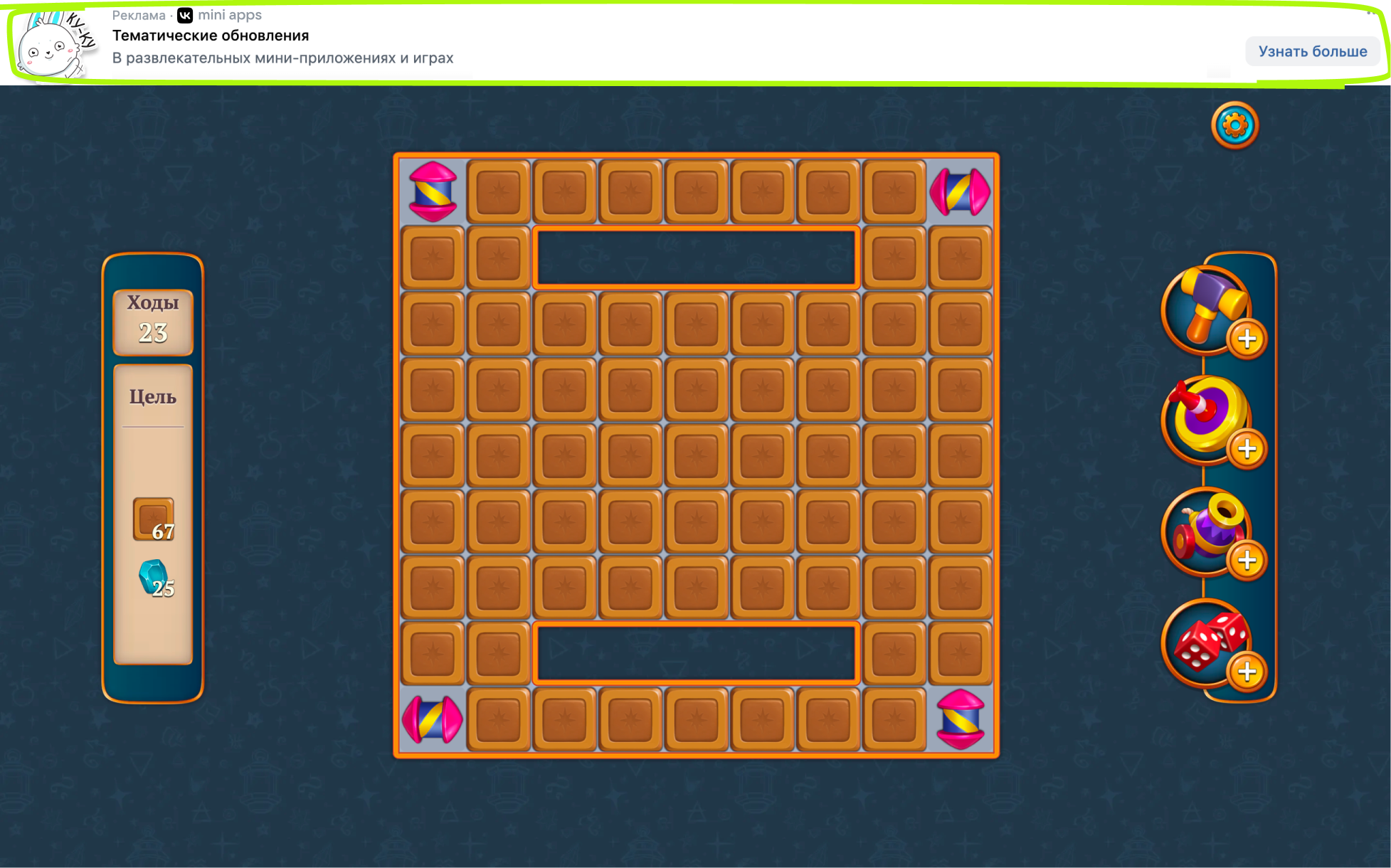 Ad banner at the top of the screen across the full width
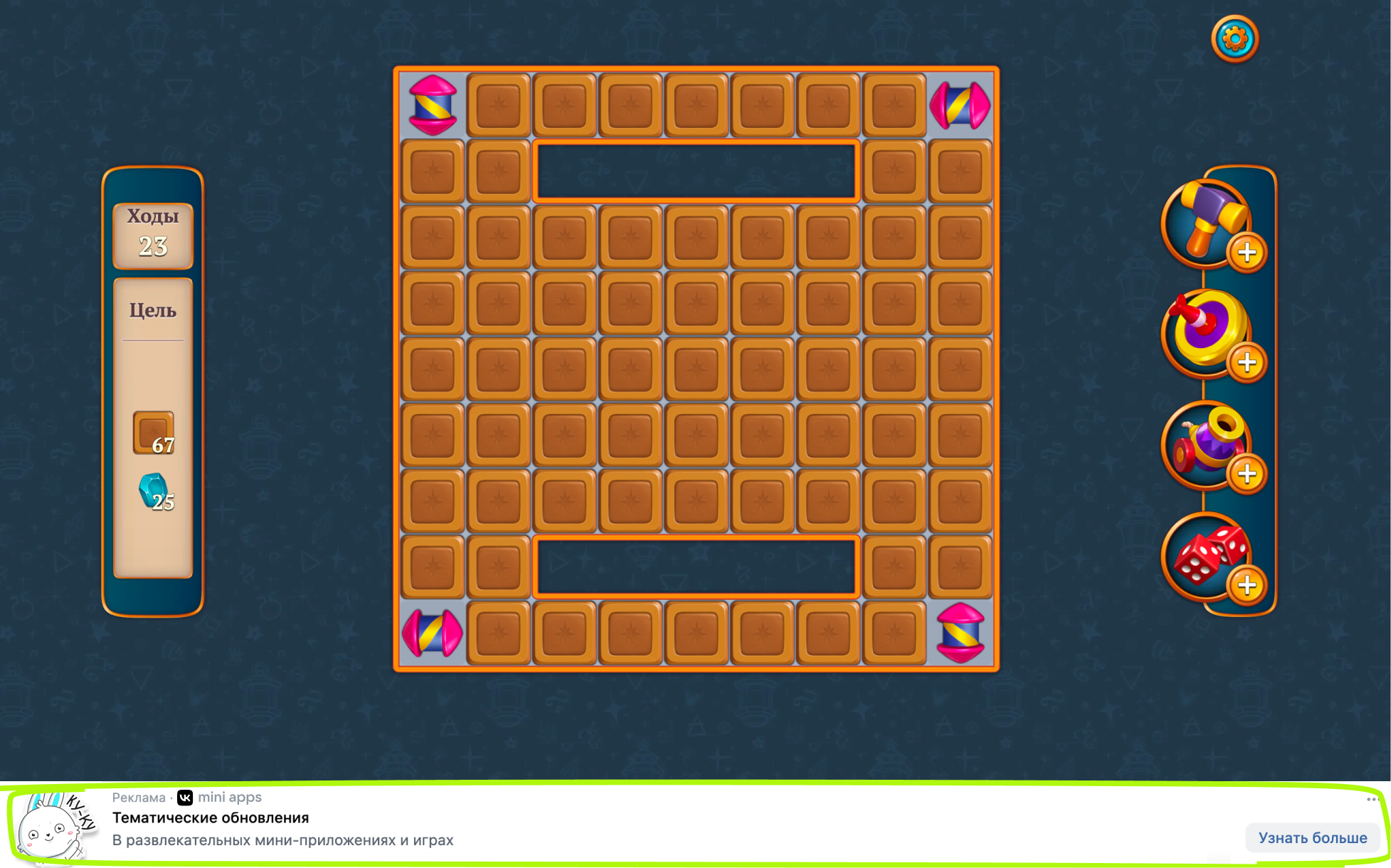 Ad banner at the bottom of the screen across the full width
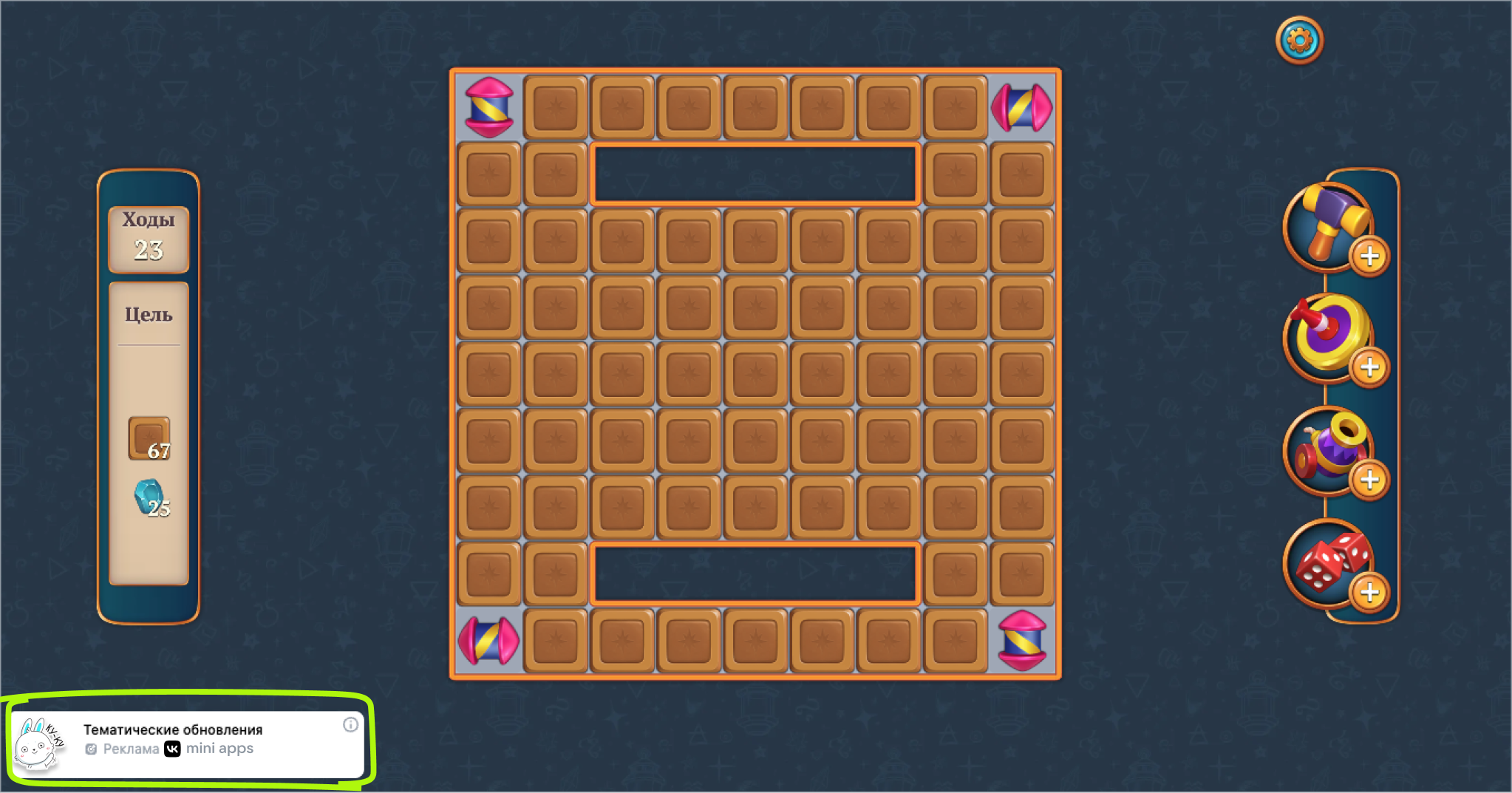 Horizontal ad banner on the left
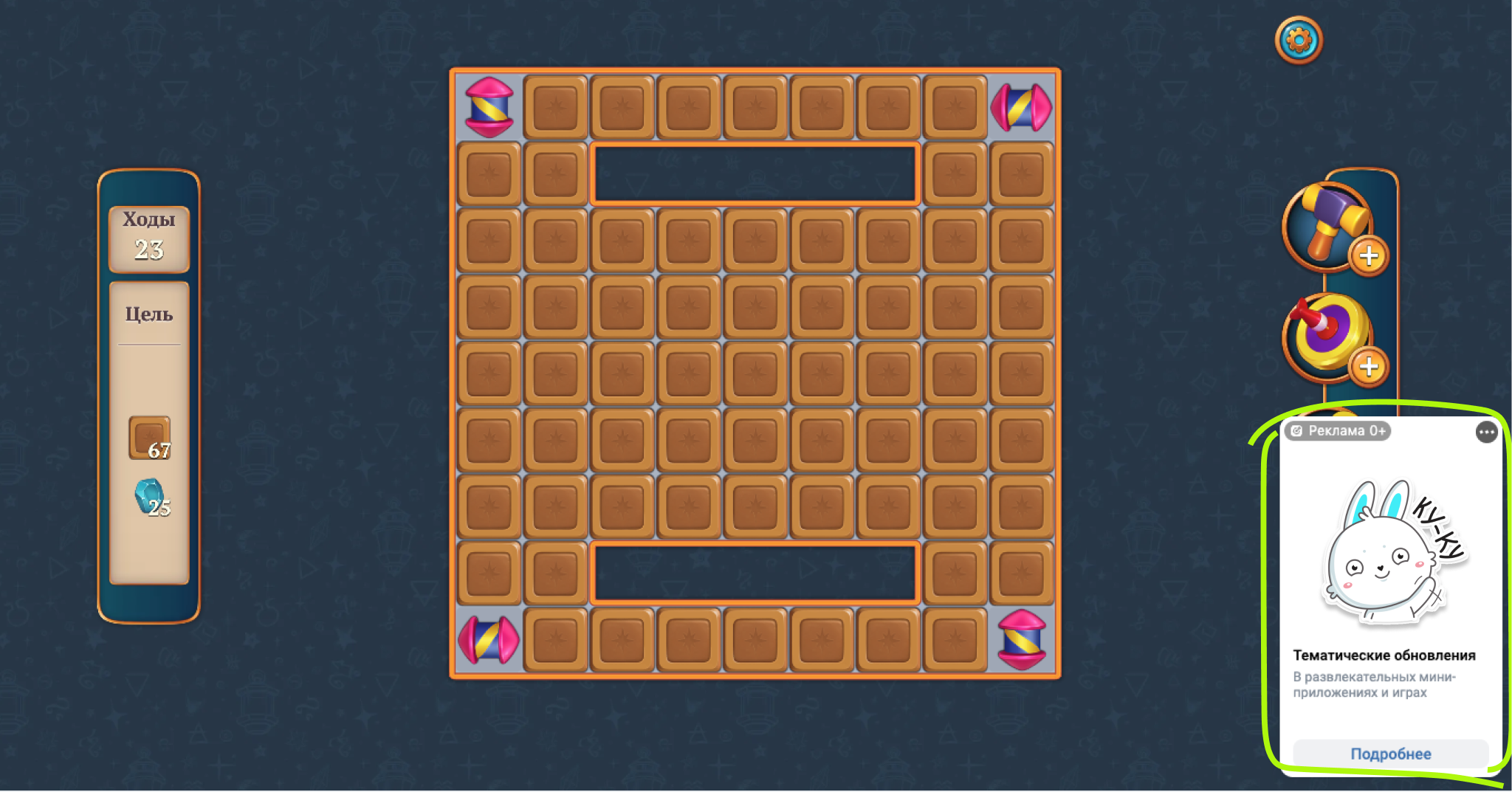 Vertical ad banner on the right
Banner type | VK Bridge parameters |
|---|---|
Ad banner at the top of the screen across the full width | banner_location: 'top' |
Ad banner at the bottom of the screen across the full width | banner_location: 'bottom' |
Horizontal ad banner on the left | layout_type: 'overlay'
banner_align: 'right'
orientation: 'vertical' |
Vertical ad banner on the right | layout_type: 'overlay'
banner_align: 'left'
orientation: 'horizontal' |
Mobile app
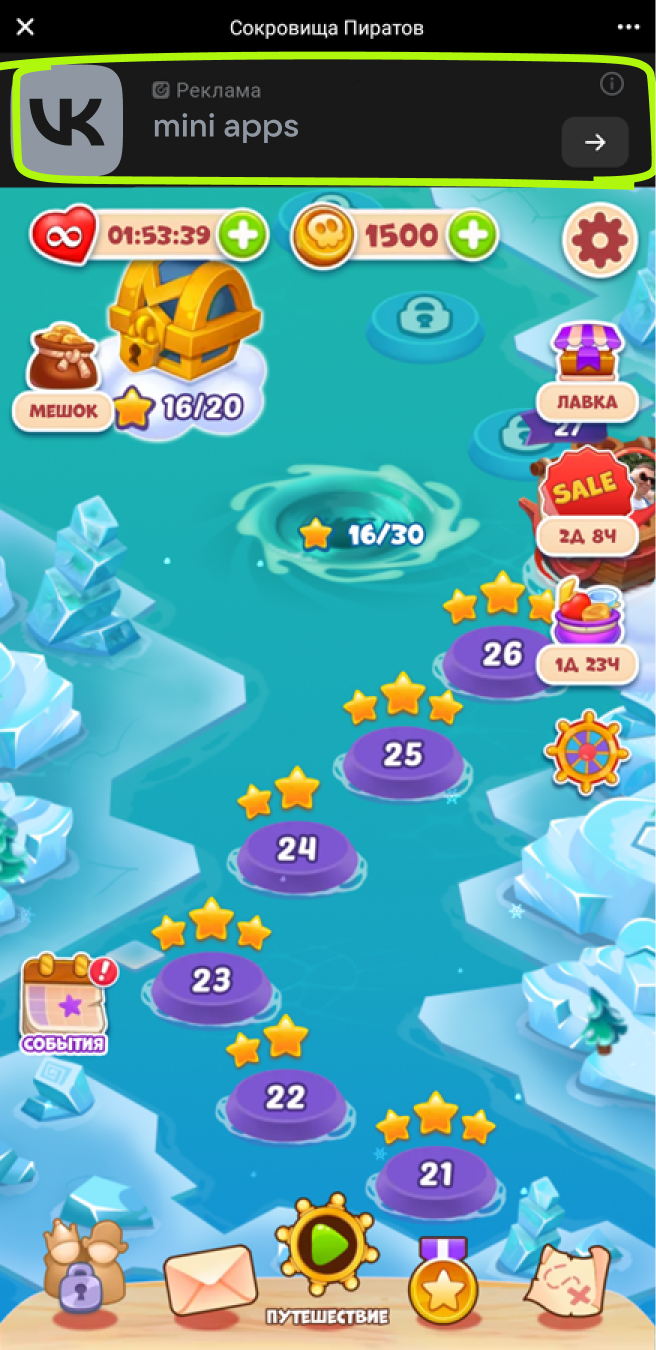 Ad banner at the top of the screen across the full width (dark theme)
 Ad banner at the bottom of the screen across the full width (dark theme)
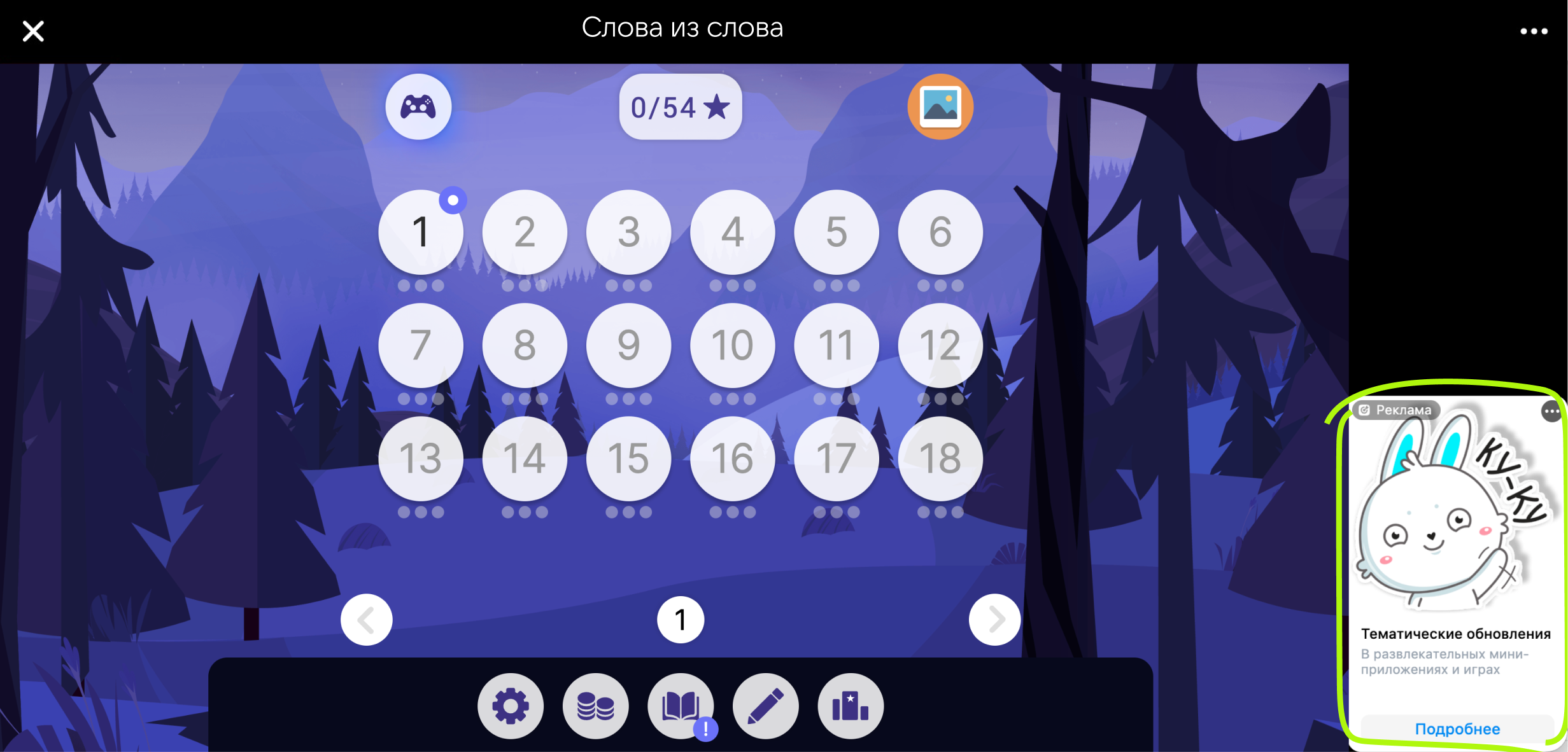 Ad banner on the right in horizontal device orientation
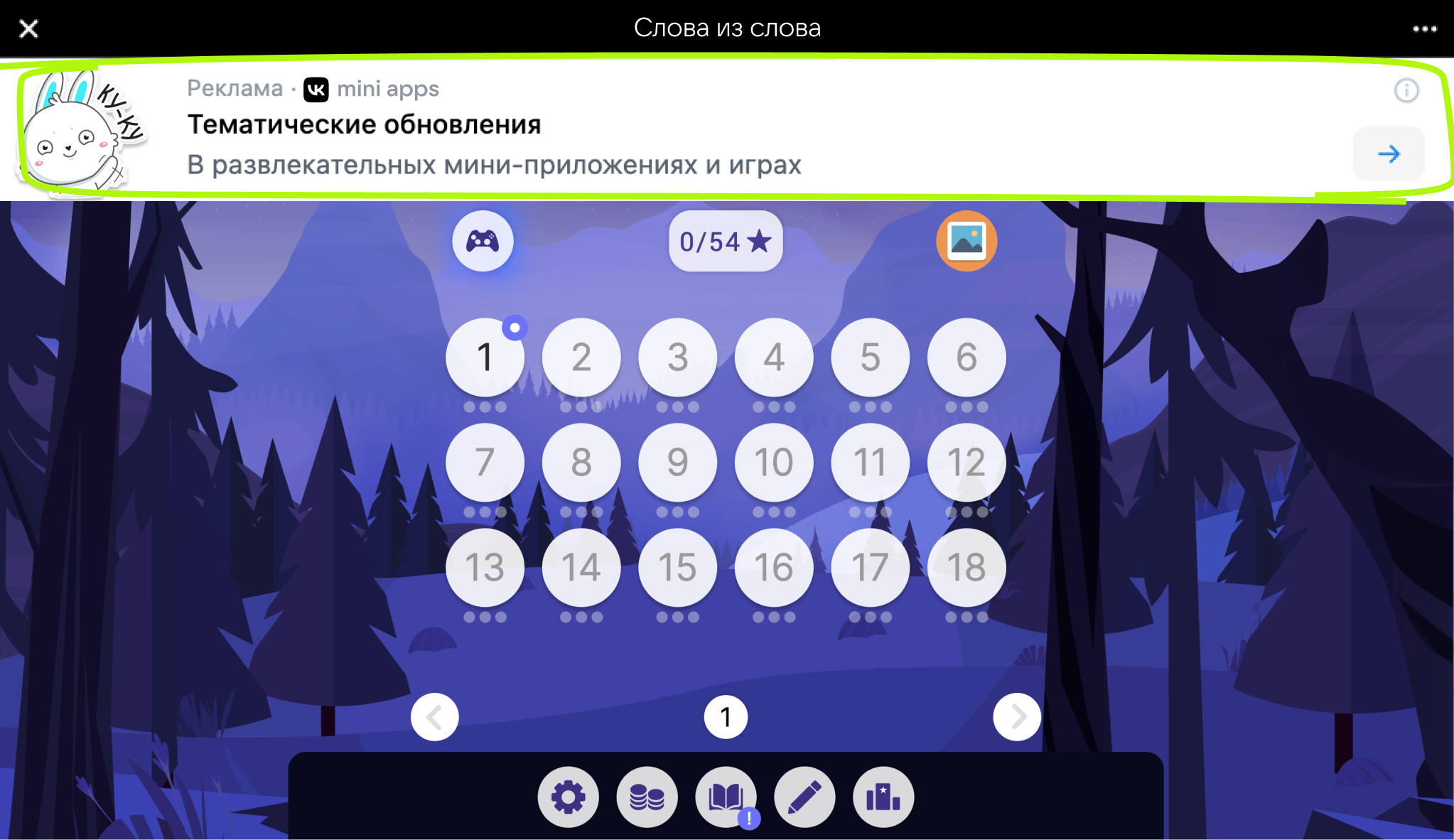 Standard size ad banner in horizontal orientation
 Reduced height ad banner in horizontal device orientation
Banner type | VK Bridge parameters |
|---|---|
Ad banner at the top of the screen across the full width (dark theme) | banner_location: 'top' |
Ad banner at the bottom of the screen across the full width (dark theme) | banner_location: 'bottom' |
Ad banner on the right in horizontal device orientation | layout_type: 'resize'
orientation: 'vertical' |
Standard size ad banner in horizontal device orientation | banner_location: 'top'
height_type: 'regular' |
Reduced height ad banner in horizontal device orientation | banner_location: 'top'
height_type: 'compact' |
Related materials
- •
- •
- •
- •
- •
- •
- •

